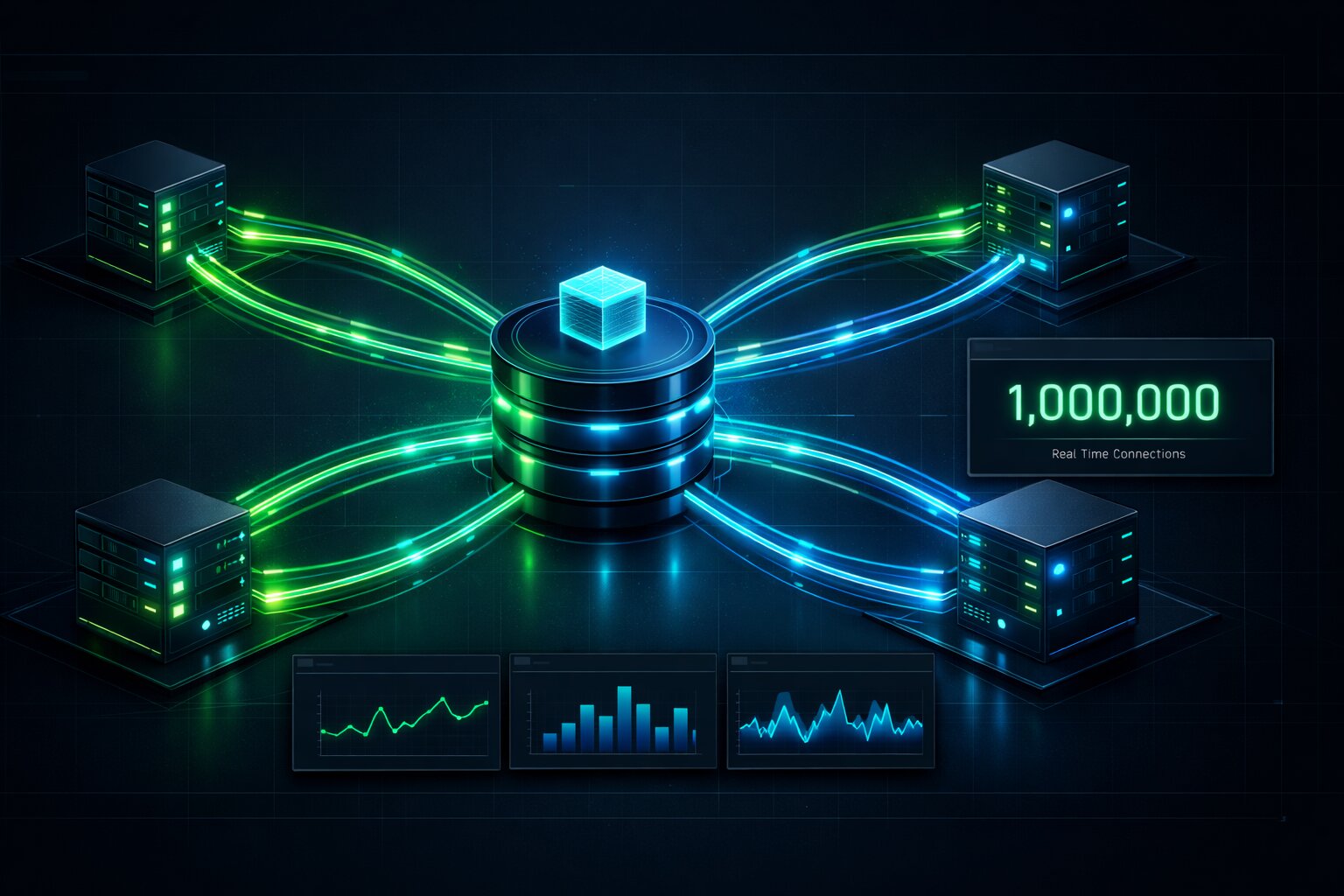
WebSockets in 2026 and How JavaScript Developers Build Real-Time Applications That Scale to 1 Million Connections
📧 Subscribe to JavaScript Insights
Get the latest JavaScript tutorials, career tips, and industry insights delivered to your inbox weekly.
Most developers think WebSockets are solved technology. They learned the API in a tutorial five years ago, built a chat demo, and moved on. Then they get hired at a company with 50,000 concurrent users and discover that everything they know stops working around the 10,000 connection mark. The demo worked. Production doesn't.
WebSocket adoption in production has grown 340% since 2022 according to data from Cloudflare's network traffic reports. The reason is obvious: users now expect real-time as a default. A dashboard that refreshes every 30 seconds feels broken. A notification that arrives 45 seconds after the event happened feels like a bug. The expectations have shifted, and the tooling has shifted with them, but the mental models most developers carry around haven't caught up.
This is a guide for developers who need to build systems that actually hold up under load. Not a chat tutorial. Not a toy example. The real patterns that separate a WebSocket implementation that works in development from one that works when your product launches on Hacker News and 8,000 people hit it in the first hour.
Why WebSockets Became Non-Negotiable in 2026
Three things happened in the last two years that pushed real-time from "nice to have" to "table stakes."
First, AI features became standard in production applications. When you're streaming a language model response to a user, HTTP long-polling creates a stuttery, degraded experience compared to the smooth character-by-character flow you get over a WebSocket. Every major AI product ships token streaming over WebSockets. Users who experienced that flow now expect it everywhere.
Second, collaborative editing went mainstream outside of Google Docs. Notion, Linear, Figma and dozens of smaller SaaS tools normalized the expectation that multiple people can edit the same thing simultaneously. Building that experience without WebSockets is theoretically possible and practically miserable.
Third, the infrastructure got genuinely easier. Cloudflare Durable Objects, Fly.io with persistent VMs, and Vercel's edge runtime all made it significantly less painful to deploy stateful WebSocket servers without managing your own infrastructure. The operational barrier dropped enough that teams that previously avoided WebSockets because of deployment complexity now have no excuse.
The job market reflects this. Looking at JavaScript developer postings on jsgurujobs.com in early 2026, "WebSockets" or "real-time" appears in 23% of backend-leaning Node.js roles and 41% of full-stack roles at companies with over 100 engineers. If you're aiming at mid-level and above positions, this is not optional knowledge anymore.
How WebSockets Actually Work and Where Most Tutorials Stop
A WebSocket starts as an HTTP request. The client sends an upgrade request with specific headers, the server responds with 101 Switching Protocols, and from that point forward the TCP connection stays open and both sides can send messages in either direction at any time. That's the core mechanic and most tutorials cover it adequately.
What tutorials skip is what happens at scale, and that starts with understanding the difference between a WebSocket connection and a WebSocket message. The connection is stateful. It lives on a specific server process. If that process dies, the connection dies. If you're running three instances of your Node.js server behind a load balancer, a client connected to instance one cannot receive a message sent by a client connected to instance three, unless you explicitly handle that.
This is the scaling problem that kills naive implementations. You write a beautiful chat room. It works perfectly with one server instance. You deploy it, it gets load balanced across three instances, and suddenly half the messages disappear because they're hitting the wrong instance. This isn't a bug in your code. It's a fundamental property of stateful TCP connections in a distributed system.
The solution has two parts: sticky sessions and a message broker. Sticky sessions (sometimes called session affinity) tell the load balancer to always route a specific client to the same server instance based on their IP or a session cookie. The message broker, typically Redis with pub/sub, lets server instances communicate with each other so that a message from a client on instance one can be forwarded to all connected clients on instances two and three.
Setting Up a Production-Grade WebSocket Server with Node.js and ws
The ws library remains the lowest-overhead choice for raw WebSocket server work in Node.js. Socket.io is popular and adds useful features but also adds complexity and a custom protocol layer that makes debugging harder. For new projects in 2026, I'd start with ws and add Socket.io only if you need its specific features like automatic reconnection or room management without building them yourself.
import { WebSocketServer, WebSocket } from 'ws';
import { createServer } from 'http';
import { createClient } from 'redis';

const httpServer = createServer();
const wss = new WebSocketServer({ server: httpServer });

const redisPublisher = createClient({ url: process.env.REDIS_URL });
const redisSubscriber = createClient({ url: process.env.REDIS_URL });

await redisPublisher.connect();
await redisSubscriber.connect();

// Track connections by room on this server instance
const rooms = new Map<string, Set<WebSocket>>();

wss.on('connection', (ws, request) => {
  const url = new URL(request.url!, `http://${request.headers.host}`);
  const roomId = url.searchParams.get('room') ?? 'default';
  const userId = url.searchParams.get('userId');

  // Register this connection locally
  if (!rooms.has(roomId)) {
    rooms.set(roomId, new Set());
  }
  rooms.get(roomId)!.add(ws);

  ws.on('message', async (data) => {
    const message = JSON.parse(data.toString());

    // Publish to Redis so all server instances receive it
    await redisPublisher.publish(`room:${roomId}`, JSON.stringify({
      ...message,
      userId,
      timestamp: Date.now(),
    }));
  });

  ws.on('close', () => {
    rooms.get(roomId)?.delete(ws);
  });

  ws.on('error', (error) => {
    console.error(`WebSocket error for user ${userId}:`, error);
    rooms.get(roomId)?.delete(ws);
  });
});

// Subscribe to Redis and broadcast to local connections
await redisSubscriber.subscribe('room:*', (message, channel) => {
  const roomId = channel.replace('room:', '');
  const localConnections = rooms.get(roomId);

  if (!localConnections) return;

  for (const client of localConnections) {
    if (client.readyState === WebSocket.OPEN) {
      client.send(message);
    }
  }
});

httpServer.listen(3000);
This is the minimum viable production setup. Redis pub/sub handles cross-instance message delivery. Each server instance maintains its own connection registry and only broadcasts to the clients it's directly connected to. The Redis subscriber pattern room:* is a simplification. In production you'd want more targeted channel subscriptions.
Handling Connection State and Heartbeats
WebSocket connections die silently. A mobile user loses signal, closes their laptop, or the network changes. The server doesn't know immediately. Depending on your OS and network configuration, a dead connection can sit in your connection registry for minutes consuming memory and potentially receiving messages that go nowhere.
The solution is a heartbeat mechanism, commonly called a ping/pong cycle. The server sends a ping frame every N seconds. Clients that are still alive respond with a pong. Clients that don't respond get terminated.
const HEARTBEAT_INTERVAL = 30000; // 30 seconds
const CONNECTION_TIMEOUT = 35000; // 35 seconds

wss.on('connection', (ws) => {
  let isAlive = true;

  ws.on('pong', () => {
    isAlive = true;
  });

  const heartbeat = setInterval(() => {
    if (!isAlive) {
      ws.terminate();
      return;
    }
    isAlive = false;
    ws.ping();
  }, HEARTBEAT_INTERVAL);

  ws.on('close', () => {
    clearInterval(heartbeat);
  });
});
This is not optional. Without heartbeats, you will accumulate dead connections and your server will eventually run out of memory or file descriptors. Every production WebSocket server needs this.
Authentication and Authorization in WebSocket Connections
HTTP request authentication maps cleanly to middleware. WebSocket authentication is messier and this is where most implementations have security holes.
The WebSocket handshake happens over HTTP, which means you can validate a token during the upgrade request before the connection is established. This is the right approach. Do not authenticate after the connection is open by waiting for the client to send credentials in the first message. That window between connection and authentication is a vulnerability.
import { verify } from 'jsonwebtoken';

const wss = new WebSocketServer({ noServer: true });

httpServer.on('upgrade', (request, socket, head) => {
  const url = new URL(request.url!, `http://${request.headers.host}`);
  const token = url.searchParams.get('token');

  if (!token) {
    socket.write('HTTP/1.1 401 Unauthorized\r\n\r\n');
    socket.destroy();
    return;
  }

  try {
    const payload = verify(token, process.env.JWT_SECRET!);

    wss.handleUpgrade(request, socket, head, (ws) => {
      // Attach user context to the WebSocket object
      (ws as any).userId = (payload as any).sub;
      (ws as any).roles = (payload as any).roles;
      wss.emit('connection', ws, request);
    });
  } catch {
    socket.write('HTTP/1.1 401 Unauthorized\r\n\r\n');
    socket.destroy();
  }
});
One common question is whether to put the JWT in the URL query string (visible in server logs) or in a cookie (requires cookie configuration). For browser clients, cookies with the HttpOnly and Secure flags are cleaner. The WebSocket upgrade request includes cookies, so you can read them the same way you would in an HTTP handler. For native mobile clients or server-to-server connections, query string tokens are fine as long as your logs are secure.
For developers building applications where web security is a primary concern, it's worth noting that WebSockets are not subject to the same-origin policy in the same way HTTP requests are. A malicious website can open a WebSocket connection to your server from any origin. Always validate the Origin header during the handshake and reject connections from origins you don't recognize.
Scaling WebSockets to 10,000 and Beyond
Node.js in a single process can maintain somewhere between 10,000 and 100,000 WebSocket connections depending on message volume, payload size, and available memory. The number isn't fixed because connection cost depends on what you're doing with each connection. A connection that receives a message once per minute is nearly free. A connection that streams 10 updates per second is meaningfully expensive.
The first bottleneck you'll hit is usually not CPU or memory. It's the operating system file descriptor limit. Each WebSocket connection uses one file descriptor. Linux defaults to 1,024 per process. You'll hit that ceiling long before you've stressed the Node.js process itself.
Increase it before you need to:
# Check current limits
ulimit -n

# Set for the current session
ulimit -n 100000

# Set permanently in /etc/security/limits.conf
* soft nofile 100000
* hard nofile 100000
Beyond file descriptors, horizontal scaling with Redis pub/sub as described earlier handles the next tier. When Redis itself becomes a bottleneck (typically around 100,000 messages per second), you move to Redis Cluster or start partitioning your pub/sub channels across multiple Redis instances.
Using Worker Threads for CPU-Intensive Message Processing
Node.js is single-threaded and WebSocket message handling runs on the main event loop. If you're doing anything computationally expensive per message, like parsing large JSON payloads, running cryptographic operations, or doing any kind of data transformation, you'll starve the event loop and all other connections will experience latency spikes.
Worker threads solve this without the overhead of spawning separate processes:
import { Worker, isMainThread, parentPort, workerData } from 'worker_threads';

// worker.ts - runs in a separate thread
if (!isMainThread) {
  const { payload } = workerData;

  // CPU-intensive work here
  const result = processComplexPayload(payload);

  parentPort!.postMessage(result);
}

// main.ts - dispatch to worker
function processInWorker(payload: unknown): Promise<unknown> {
  return new Promise((resolve, reject) => {
    const worker = new Worker(__filename, {
      workerData: { payload }
    });

    worker.on('message', resolve);
    worker.on('error', reject);
    worker.on('exit', (code) => {
      if (code !== 0) reject(new Error(`Worker exited with code ${code}`));
    });
  });
}

wss.on('connection', (ws) => {
  ws.on('message', async (data) => {
    const payload = JSON.parse(data.toString());

    // Don't block the event loop
    const result = await processInWorker(payload);
    ws.send(JSON.stringify(result));
  });
});
Creating a new worker per message is wasteful. In production, use a worker pool library like piscina which manages a fixed pool of workers and queues tasks efficiently.
Building the Client Side and Handling Reconnection
The browser WebSocket API is minimal by design. It doesn't handle reconnection. It doesn't handle backoff. It doesn't handle the scenario where the user's laptop sleeps, wakes up, and the old connection is dead but the client doesn't know it yet.
You need to build reconnection logic yourself or use a library that does it for you. Here's a production-grade reconnection wrapper:
class ReconnectingWebSocket {
  private ws: WebSocket | null = null;
  private reconnectAttempts = 0;
  private maxReconnectAttempts = 10;
  private baseDelay = 1000;
  private maxDelay = 30000;
  private shouldReconnect = true;

  constructor(
    private url: string,
    private onMessage: (data: unknown) => void,
    private onStatusChange: (status: 'connected' | 'disconnected' | 'reconnecting') => void
  ) {
    this.connect();
  }

  private connect() {
    this.ws = new WebSocket(this.url);

    this.ws.onopen = () => {
      this.reconnectAttempts = 0;
      this.onStatusChange('connected');
    };

    this.ws.onmessage = (event) => {
      try {
        const data = JSON.parse(event.data);
        this.onMessage(data);
      } catch {
        console.error('Failed to parse WebSocket message:', event.data);
      }
    };

    this.ws.onclose = () => {
      if (!this.shouldReconnect) return;
      this.scheduleReconnect();
    };

    this.ws.onerror = () => {
      // onerror always fires before onclose, let onclose handle reconnection
    };
  }

  private scheduleReconnect() {
    if (this.reconnectAttempts >= this.maxReconnectAttempts) {
      this.onStatusChange('disconnected');
      return;
    }

    this.onStatusChange('reconnecting');

    // Exponential backoff with jitter
    const exponentialDelay = Math.min(
      this.baseDelay * Math.pow(2, this.reconnectAttempts),
      this.maxDelay
    );
    const jitter = Math.random() * 1000;
    const delay = exponentialDelay + jitter;

    this.reconnectAttempts++;
    setTimeout(() => this.connect(), delay);
  }

  send(data: unknown) {
    if (this.ws?.readyState === WebSocket.OPEN) {
      this.ws.send(JSON.stringify(data));
    }
  }

  close() {
    this.shouldReconnect = false;
    this.ws?.close();
  }
}
The exponential backoff with jitter is important. If your server goes down and 10,000 clients all try to reconnect at exactly the same moment, they create a thundering herd problem that can prevent the server from recovering. Jitter spreads the reconnection attempts over time and gives the server a chance to come back up gracefully.
For developers building with Next.js applications, wrap this in a React hook with connection status state so your UI can show appropriate indicators when the WebSocket is reconnecting.
WebSockets vs Server-Sent Events vs HTTP Polling in 2026
This comparison comes up constantly and the answer is simpler than most articles make it. Server-Sent Events (SSE) are fine if your data flow is one-directional from server to client. Stock tickers, notification feeds, AI token streaming, live scores. SSE uses plain HTTP, works through HTTP/2 multiplexing, and doesn't need special proxy or firewall configuration. If you're streaming GPT responses to users, SSE is the correct choice. WebSockets would work but they're unnecessary complexity.
WebSockets are the right choice when you need bidirectional communication. Collaborative editing, multiplayer games, live chat, anything where the client sends messages that affect what other clients receive.
HTTP polling, short or long, is the choice when neither WebSockets nor SSE are available due to infrastructure constraints, or when your update frequency is low enough that maintaining a persistent connection is wasteful. If you're showing "last updated 2 minutes ago" and that's genuinely fine for your use case, polling is not wrong.
The mistake is treating WebSockets as the always-correct default because they feel modern. An internal dashboard that refreshes data every 5 minutes does not need a persistent WebSocket connection. It needs a setInterval and a fetch call.
Deploying WebSocket Servers in 2026
The deployment landscape for WebSocket servers improved significantly in the last 18 months. Three options that actually work:
Cloudflare Durable Objects are the most interesting development. A Durable Object is a single-instance JavaScript class that runs at the edge with guaranteed global uniqueness. You can use them as WebSocket coordinators where all clients in a room connect to the same Durable Object instance, eliminating the need for Redis pub/sub entirely. Durable Objects handle the persistence and cross-region coordination. The pricing model changed in late 2025 to be more predictable, and for applications with bursty traffic patterns they're genuinely cost-effective.
Fly.io with persistent VMs works well for traditional Node.js WebSocket servers. You get a real Linux VM that stays running, you control the instance count, and Fly's Anycast network handles the routing. The key configuration is setting [services.concurrency] limits appropriately and enabling the auto_stop_machines = false flag so your WebSocket server instances don't get spun down.
Railway and Render both support WebSockets without special configuration, which makes them good for smaller applications that don't need fine-grained control over scaling. They both handle sticky sessions at the load balancer layer automatically.
What still doesn't work cleanly for WebSockets: traditional serverless platforms like AWS Lambda and Vercel's default serverless functions. Lambda's WebSocket support through API Gateway exists but the programming model is awkward and stateless by nature, requiring DynamoDB for connection tracking. It works but the complexity cost is high relative to the alternatives above.
For developers who've worked through the Node.js memory considerations that come with long-running processes, WebSocket servers add another dimension to watch: connection registry growth. If you're not cleaning up dead connections properly, the Map or Set holding your connection references will grow indefinitely and you'll see a slow memory leak that's hard to diagnose because it looks like "just connections."
Testing WebSocket Applications
WebSocket testing is where most projects cut corners and regret it. Unit testing the message handling logic is straightforward. Load testing a WebSocket server is not, and most developers skip it entirely until they're debugging a production incident.
For unit and integration tests, ws in Node.js means you can spin up a real WebSocket server in your test process and connect a test client to it:
import { WebSocketServer } from 'ws';
import WebSocket from 'ws';
import { describe, it, expect, beforeEach, afterEach } from 'vitest';

describe('WebSocket message handling', () => {
  let server: WebSocketServer;
  let port: number;

  beforeEach(async () => {
    server = new WebSocketServer({ port: 0 }); // port 0 = random available port
    port = (server.address() as { port: number }).port;

    server.on('connection', (ws) => {
      ws.on('message', (data) => {
        const message = JSON.parse(data.toString());
        if (message.type === 'ping') {
          ws.send(JSON.stringify({ type: 'pong', id: message.id }));
        }
      });
    });
  });

  afterEach(() => {
    server.close();
  });

  it('responds to ping with pong', async () => {
    const client = new WebSocket(`ws://localhost:${port}`);

    await new Promise<void>((resolve) => {
      client.on('open', resolve);
    });

    const response = await new Promise<{ type: string; id: string }>((resolve) => {
      client.on('message', (data) => {
        resolve(JSON.parse(data.toString()));
      });
      client.send(JSON.stringify({ type: 'ping', id: 'test-123' }));
    });

    expect(response.type).toBe('pong');
    expect(response.id).toBe('test-123');

    client.close();
  });
});
For load testing, k6 from Grafana has first-class WebSocket support and is free to run locally. A basic load test that ramps to 1,000 concurrent connections and measures message latency gives you the baseline data you need before your first real traffic spike.
// k6 load test for WebSocket
import ws from 'k6/ws';
import { check } from 'k6';

export const options = {
  stages: [
    { duration: '30s', target: 100 },   // ramp to 100 users
    { duration: '1m', target: 1000 },   // ramp to 1000 users
    { duration: '2m', target: 1000 },   // hold at 1000 users
    { duration: '30s', target: 0 },     // ramp down
  ],
};

export default function () {
  const url = 'ws://localhost:3000?room=loadtest&userId=user-' + __VU;

  const response = ws.connect(url, {}, (socket) => {
    socket.on('open', () => {
      socket.send(JSON.stringify({ type: 'message', content: 'hello' }));
    });

    socket.on('message', (data) => {
      const msg = JSON.parse(data);
      check(msg, { 'received message': (m) => m.type === 'message' });
    });

    socket.setTimeout(() => {
      socket.close();
    }, 10000);
  });

  check(response, { 'status is 101': (r) => r && r.status === 101 });
}
Run this against your staging environment before launch. The results will show you at what connection count your latency starts degrading. That number tells you when to scale horizontally.
What Real-Time Looks Like Inside Large Applications
A common mistake is architecturally treating WebSockets as a replacement for your REST API. They're not. WebSockets are a delivery mechanism for events, not a query mechanism for data. The typical architecture that scales well looks like this:
The REST or GraphQL API handles reads and writes. When a write happens that should notify other users, the API layer publishes an event to Redis or a queue. The WebSocket server subscribes to those events and pushes them to connected clients. The clients that receive a push notification then decide whether to show it directly or trigger a REST request to fetch updated data.
This separation matters because it keeps your WebSocket server stateless in terms of business logic. The WebSocket server doesn't know about your database schema, doesn't do joins, doesn't handle pagination. It just receives events and forwards them to the right connections. That simplicity is what allows it to scale.
For developers who've thought through JavaScript application architecture at the system design level, this pattern maps cleanly to event-driven architecture. The WebSocket layer is your event bus exposed to the browser.
The Real Cost of WebSockets at Scale
Before you commit to WebSockets, understand the operational cost. A persistent connection consumes resources on both ends continuously, even when idle. At 1 million connections, you're looking at 1 million ping/pong cycles every 30 seconds regardless of whether any user is active. You need at least 10-20 server instances to handle that load, each consuming memory proportional to connection count.
For most applications, that's fine because 1 million concurrent users is a good problem to have. But if you're building an application where most users open a tab and then ignore it for 30 minutes, you're paying for idle connections. In that scenario, SSE with lazy reconnection or aggressive connection timeout and reconnect-on-demand might be more economical.
The sweet spot for WebSockets is applications where users are genuinely active. Gaming, collaborative tools, live trading platforms, anything with high interaction frequency. For passive consumption scenarios, SSE or polling are often the right engineering choice even if they feel less impressive to describe in an architecture review.
Building Real-Time Features With React and WebSockets
The server side is only half the problem. The client side has its own set of patterns that separate clean implementations from the tangled mess that's hard to debug and harder to maintain.
In React applications, the most common mistake is creating a WebSocket connection inside a component's render function or useEffect without proper cleanup. WebSocket connections are expensive to create and should be long-lived. Creating a new connection every time a component mounts and destroying it on unmount means your users are constantly disconnecting and reconnecting as they navigate between views.
The better pattern is to manage WebSocket connections at the application level and share the connection across components through context:
// WebSocketContext.tsx
import { createContext, useContext, useEffect, useRef, useState, ReactNode } from 'react';

interface WebSocketContextValue {
  sendMessage: (data: unknown) => void;
  lastMessage: unknown;
  connectionStatus: 'connecting' | 'connected' | 'disconnected' | 'reconnecting';
}

const WebSocketContext = createContext<WebSocketContextValue | null>(null);

export function WebSocketProvider({ children, url }: { children: ReactNode; url: string }) {
  const wsRef = useRef<ReconnectingWebSocket | null>(null);
  const [lastMessage, setLastMessage] = useState<unknown>(null);
  const [connectionStatus, setConnectionStatus] = useState<
    'connecting' | 'connected' | 'disconnected' | 'reconnecting'
  >('connecting');

  useEffect(() => {
    wsRef.current = new ReconnectingWebSocket(
      url,
      (data) => setLastMessage(data),
      (status) => setConnectionStatus(status)
    );

    return () => {
      wsRef.current?.close();
    };
  }, [url]);

  const sendMessage = (data: unknown) => {
    wsRef.current?.send(data);
  };

  return (
    <WebSocketContext.Provider value={{ sendMessage, lastMessage, connectionStatus }}>
      {children}
    </WebSocketContext.Provider>
  );
}

export function useWebSocket() {
  const context = useContext(WebSocketContext);
  if (!context) throw new Error('useWebSocket must be used within WebSocketProvider');
  return context;
}
Components that need real-time data subscribe to lastMessage and filter for message types they care about. This keeps the connection lifecycle separate from component lifecycle and prevents the reconnection churn that makes real-time apps feel slow to navigate.
One addition worth making: message routing. Raw lastMessage means every component that uses the hook re-renders on every message, regardless of whether that message is relevant to them. In high-frequency update scenarios this causes noticeable performance degradation. A lightweight pub/sub layer inside the context that lets components subscribe to specific message types solves this cleanly.
Handling Optimistic Updates With WebSocket Confirmations
Real-time collaborative applications need optimistic updates to feel responsive. When a user takes an action, you want to reflect it immediately in the UI rather than waiting for a round trip to the server and back. WebSockets make this pattern particularly clean because you have a persistent channel to receive the server confirmation.
The pattern works like this: the client generates a temporary ID for the action, applies it locally to the UI state, sends it to the server over WebSocket, and when the server broadcasts the confirmed action back, the client replaces the temporary version with the server-confirmed version. If the server rejects the action, the client rolls back to the pre-action state.
This is how Linear, Figma, and most modern collaborative tools feel so fast. The latency you perceive is network round-trip time, not network round-trip time plus server processing plus another network hop. Mastering this pattern is a meaningful skill differentiator, and it shows up regularly in system design interviews for frontend and full-stack roles.
Monitoring WebSocket Connections in Production
WebSocket servers need different monitoring than HTTP servers and most observability tooling defaults don't cover them well. The metrics that matter are current connection count, message throughput (messages per second in and out), message latency (time from client send to server receive and back), connection churn rate (connections established and closed per minute), and error rate.
Prometheus with a custom metrics exporter is the standard approach:
import { Counter, Gauge, Histogram, Registry } from 'prom-client';

const registry = new Registry();

const activeConnections = new Gauge({
  name: 'websocket_active_connections',
  help: 'Number of active WebSocket connections',
  registers: [registry],
});

const messagesTotal = new Counter({
  name: 'websocket_messages_total',
  help: 'Total WebSocket messages processed',
  labelNames: ['direction', 'type'] as const,
  registers: [registry],
});

const messageLatency = new Histogram({
  name: 'websocket_message_latency_seconds',
  help: 'WebSocket message processing latency',
  buckets: [0.001, 0.005, 0.01, 0.05, 0.1, 0.5, 1],
  registers: [registry],
});

// Increment on connection
wss.on('connection', (ws) => {
  activeConnections.inc();

  ws.on('close', () => activeConnections.dec());

  ws.on('message', (data) => {
    const timer = messageLatency.startTimer();

    messagesTotal.inc({ direction: 'inbound', type: 'message' });

    // Process message...

    timer();
  });
});

// Expose metrics endpoint
httpServer.on('request', async (req, res) => {
  if (req.url === '/metrics') {
    res.setHeader('Content-Type', registry.contentType);
    res.end(await registry.metrics());
  }
});
Set up alerts on connection count spikes (potential DDoS), connection count drops (potential server crash), and message latency p99 above your threshold. These three alerts will catch 90% of WebSocket production incidents before users report them.
If you're not running your own Prometheus stack, Datadog and New Relic both support custom metrics via their respective agent SDKs and work well for smaller teams that don't want to manage monitoring infrastructure.
Beyond the origin validation and JWT authentication mentioned earlier, there are a few additional security considerations that matter in production.
Rate limiting per connection is essential. Without it, a single malicious client can flood your server with messages and degrade the experience for everyone else. Track message count per connection in a sliding window and close connections that exceed your threshold.
Message size limits prevent memory exhaustion from oversized payloads. The ws library accepts a maxPayload option during server instantiation. Set it to something reasonable for your use case, typically 64KB for most chat and notification applications, 1MB if you're doing file chunk transfers.
Input validation on every message is obvious but frequently skipped in WebSocket handlers. Because WebSocket messages feel different from HTTP requests, developers sometimes forget to apply the same validation logic. Treat every incoming WebSocket message with the same suspicion you'd apply to a form submission from an unknown user.
Real-time features are increasingly on the radar of security researchers and bug bounty hunters. If you're building something significant, review the OWASP WebSocket Security Cheat Sheet before launch. The attack surface is different from REST APIs and the vulnerabilities are different too.
Where WebSockets Are Going in 2026 and Beyond
WebTransport is the technology that's been talked about as a "WebSocket replacement" for the last few years. It's built on QUIC instead of TCP, which means it handles connection migration gracefully when mobile users switch networks, supports multiple streams within a single connection, and has lower latency characteristics. Browser support landed in Chromium-based browsers in 2023 and Firefox in 2024. Safari support arrived in iOS 17.4.
The adoption curve has been slow because WebTransport requires HTTP/3 infrastructure, and while Cloudflare and Fastly support it, self-hosted infrastructure upgrades take time. By 2027 or 2028, WebTransport will likely be the default choice for new real-time applications. For now, WebSockets remain the practical choice for production systems that need to work for all users across all infrastructure.
The other development worth tracking is the Streams API integration with the browser WebSocket. The WebSocket API has historically been event-driven, which creates friction when you want to pipe WebSocket data through transformation pipelines. There's an active proposal to expose WebSocket as a native stream, which would make streaming AI responses, file chunks, and real-time data pipelines dramatically cleaner to implement.
WebSockets in 2026 are mature, well-supported, and better understood than they were even two years ago. The tooling around deployment, testing, and scaling has improved to the point where the primary barrier is knowledge, not infrastructure. The developers who understand not just the API but the scaling patterns and operational realities are the ones getting hired into the senior roles that require real-time systems expertise.
The tutorial that taught you the WebSocket handshake got you to the starting line. Everything in this article is what's required to actually finish the race.
If you want to stay current on JavaScript infrastructure patterns and market data for where these skills are valued, I share production-grade analysis weekly at jsgurujobs.com.
FAQ Section
What is the maximum number of WebSocket connections a Node.js server can handle?
A single Node.js process can realistically handle between 10,000 and 100,000 concurrent WebSocket connections depending on message volume and payload size, but you'll hit the operating system file descriptor limit of 1,024 before you reach that unless you explicitly raise it. With proper OS configuration and horizontal scaling through Redis pub/sub, production systems routinely handle 1 million or more concurrent connections across a fleet of servers.
Do WebSockets work with serverless platforms like AWS Lambda or Vercel?
AWS Lambda supports WebSockets through API Gateway, but the programming model is awkward because Lambda functions are inherently stateless and connection state must be tracked in DynamoDB. Vercel's serverless functions do not natively support persistent WebSocket connections. In 2026 the better choices for WebSocket deployments are Cloudflare Durable Objects, Fly.io persistent VMs, or Railway and Render for smaller applications.
What is the difference between WebSockets and Server-Sent Events for real-time applications?
Server-Sent Events are a one-way push mechanism from server to client over plain HTTP. They're ideal for notification feeds, live scores, and AI token streaming where the client doesn't need to send messages back. WebSockets are bidirectional and necessary for collaborative editing, live chat, and multiplayer applications. SSE is simpler to deploy and works through HTTP/2 multiplexing without special infrastructure configuration, making it the better choice when bidirectional communication isn't required.
How do you authenticate WebSocket connections securely?
The correct approach is to validate authentication credentials during the HTTP upgrade handshake before the WebSocket connection is established. In Node.js this means handling the upgrade event on the HTTP server, validating a JWT or session cookie from the request headers or URL query string, and rejecting the connection with a 401 response if validation fails. Never wait for the client to send credentials as the first WebSocket message, as the gap between connection establishment and authentication creates a security window.
Share this article