MCP for JavaScript Developers in 2026 and How the Model Context Protocol Is Creating the Highest-Paid New Role in the JS Ecosystem
📧 Subscribe to JS Pulse
The JavaScript job market in one email: real numbers from 600+ job listings, 5 jobs worth applying to, and what actually changed. Join 9,000+ developers.
There are over 8,600 MCP servers built by the community as of March 2026. Twelve months ago that number was close to zero. The Model Context Protocol, originally released by Anthropic in November 2024, has been adopted by Claude, ChatGPT, Cursor, Windsurf, VS Code Copilot, JetBrains IDEs, and dozens of other AI tools. It is now hosted by the Linux Foundation as an open standard. If you write JavaScript and have not built an MCP server yet, you are missing the single fastest-growing integration pattern in the entire software industry.
MCP is not a framework. It is not a library. It is a protocol. The same way HTTP defines how browsers talk to servers, MCP defines how AI models talk to external tools and data. And the official SDK for building MCP servers is written in TypeScript. JavaScript developers are not spectators in the MCP ecosystem. They are the primary builders.
I track job postings on jsgurujobs.com daily, and "MCP" started appearing in listings in late 2025. By March 2026, roughly 6% of AI-related JavaScript positions mention MCP specifically, and another 15% describe MCP-like responsibilities without using the term: "build integrations between AI agents and internal tools," "create tool APIs for LLM consumption," "design agent-to-service communication layers." The role of MCP developer did not exist 18 months ago. It now pays 20-40% more than equivalent backend JavaScript roles because the supply of developers who understand MCP is tiny compared to the demand.
Why MCP Matters for JavaScript Developers Right Now
Before MCP, connecting an AI model to your database, your API, or your file system required custom code for every integration. If you wanted Claude to read your PostgreSQL database, you wrote a custom integration. If you wanted ChatGPT to access your company's Jira, you wrote another custom integration. Every AI tool had its own integration format. Every data source needed a separate connector for each AI tool. This was the N-times-M problem: N AI tools times M data sources equals an explosion of custom integrations.
MCP solves this by creating one standard. You build one MCP server for your data source, and every MCP-compatible AI tool can connect to it. Build once, connect everywhere. This is why Anthropic compares MCP to USB-C for AI. One connector, universal compatibility.
For JavaScript developers, this creates a massive opportunity. Companies need MCP servers for their internal tools, databases, APIs, and business processes. The official MCP SDK is TypeScript-first. The ecosystem is JavaScript-native. And most companies building AI-powered products already have JavaScript teams. The developers who learn MCP now are positioning themselves for the AI engineering roles that pay $180K and above.
How MCP Architecture Works for JavaScript Applications
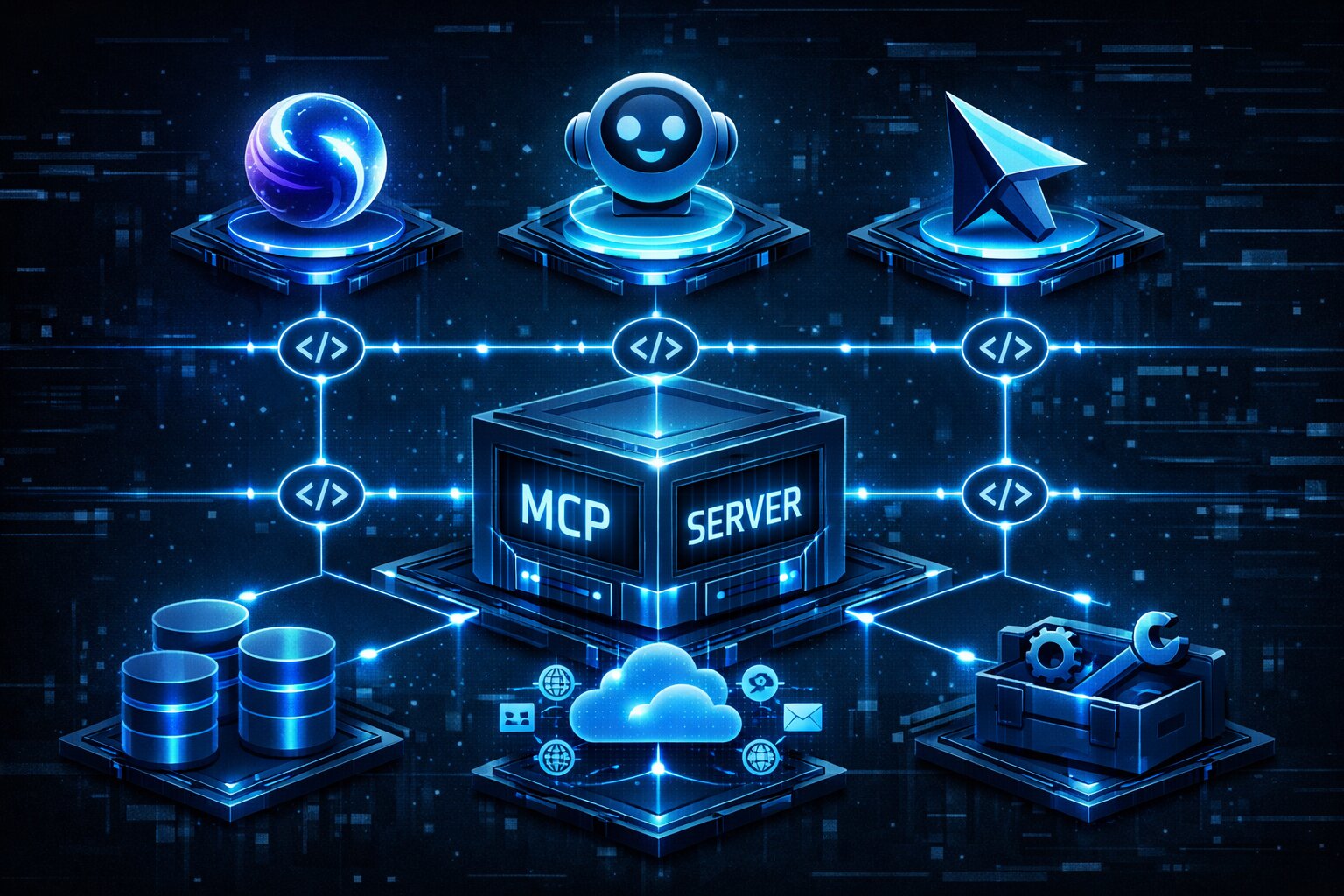
MCP follows a client-server architecture with three main concepts: hosts, clients, and servers.
The MCP Host, Client, and Server Model
The MCP Host is the application that runs the AI model. Claude Desktop, ChatGPT, Cursor, and VS Code Copilot are all MCP hosts. The host is what the user interacts with.
The MCP Client lives inside the host. It maintains connections to MCP servers and routes tool calls from the AI model to the correct server. You do not build the client. The host provides it.
The MCP Server is what you build as a JavaScript developer. It is a lightweight program that exposes capabilities to the AI model. Each server wraps one external service and defines what operations the AI model can perform. A server for PostgreSQL exposes database queries. A server for GitHub exposes repository operations. A server for your company's internal API exposes whatever endpoints you choose.
The communication happens over JSON-RPC 2.0, which JavaScript developers already know from working with WebSocket APIs and JSON-based protocols. When the AI model needs data or needs to perform an action, it sends a standardized request to the MCP server. The server processes the request, interacts with the underlying data source or tool, and returns the result in a format the model understands. The model uses the result to generate its response to the user. The entire flow is asynchronous and follows patterns that any Node.js developer will recognize immediately.
MCP Server Capabilities
MCP servers expose three types of capabilities to AI models.
Tools are functions that the AI model can call. A weather tool takes a city name and returns the forecast. A database tool takes a SQL query and returns results. A deployment tool triggers a CI/CD pipeline. Tools are the most common capability and what most MCP servers provide.
Resources are read-only data sources. They expose file-like content that the AI model can read. A resource might expose a configuration file, a log file, or the results of an API call. Resources are similar to tools but are explicitly read-only, which gives the host better security controls.
Prompts are reusable templates that help users interact with the AI model in consistent ways. A code review prompt might include the specific format and criteria your team uses. A debugging prompt might include the steps your team follows when investigating production issues.
Building Your First MCP Server With TypeScript
Let me walk through building a real MCP server that a JavaScript developer would actually use: a server that exposes job listing data from a database. This is exactly the kind of server I would build for jsgurujobs.com to let AI tools query job posting data.
Project Setup
mkdir jobs-mcp-server
cd jobs-mcp-server
npm init -y
npm install @modelcontextprotocol/sdk zod
npm install -D @types/node typescript
mkdir src
touch src/index.ts
Update package.json:
{
    "type": "module",
    "bin": {
        "jobs-mcp": "./build/index.js"
    },
    "scripts": {
        "build": "tsc && chmod 755 build/index.js"
    }
}
Create tsconfig.json:
{
    "compilerOptions": {
        "target": "ES2022",
        "module": "Node16",
        "moduleResolution": "Node16",
        "outDir": "./build",
        "rootDir": "./src",
        "strict": true,
        "esModuleInterop": true,
        "skipLibCheck": true
    },
    "include": ["src/**/*"]
}
The module: "Node16" and moduleResolution: "Node16" settings are required. The MCP SDK uses ESM module imports and will not work with CommonJS resolution.
Creating the Server and Adding Tools
// src/index.ts
#!/usr/bin/env node
import { McpServer } from "@modelcontextprotocol/sdk/server/mcp.js";
import { StdioServerTransport } from "@modelcontextprotocol/sdk/server/stdio.js";
import { z } from "zod";

const server = new McpServer({
    name: "jobs-mcp-server",
    version: "1.0.0",
});

// Tool: Search jobs by technology
server.tool(
    "search_jobs",
    "Search JavaScript job listings by technology, location, or salary range",
    {
        technology: z.string().optional().describe("Technology to search for, e.g. React, Node.js, TypeScript"),
        location: z.string().optional().describe("Job location, e.g. Remote, United States, Europe"),
        minSalary: z.number().optional().describe("Minimum salary in USD"),
    },
    async ({ technology, location, minSalary }) => {
        // In production, this queries your database
        const jobs = await searchJobs({ technology, location, minSalary });

        return {
            content: [
                {
                    type: "text",
                    text: JSON.stringify(jobs, null, 2),
                },
            ],
        };
    }
);

// Tool: Get job market stats
server.tool(
    "job_market_stats",
    "Get current JavaScript job market statistics including demand by technology",
    {
        period: z.enum(["week", "month", "quarter"]).default("month"),
    },
    async ({ period }) => {
        const stats = await getMarketStats(period);

        return {
            content: [
                {
                    type: "text",
                    text: JSON.stringify(stats, null, 2),
                },
            ],
        };
    }
);

// Connect to stdio transport
const transport = new StdioServerTransport();
await server.connect(transport);
console.error("Jobs MCP Server running on stdio");
Notice the console.error instead of console.log for the startup message. This is critical for stdio-based MCP servers. The stdio transport uses stdout for JSON-RPC messages. If you write anything else to stdout with console.log, it corrupts the protocol communication and breaks the server. Always use console.error for logging in MCP servers.
Adding Resources for Read-Only Data
// Resource: Expose latest job postings as readable content
server.resource(
    "latest-jobs",
    "jobs://latest",
    async (uri) => {
        const latestJobs = await getLatestJobs(20);

        return {
            contents: [
                {
                    uri: uri.href,
                    mimeType: "application/json",
                    text: JSON.stringify(latestJobs, null, 2),
                },
            ],
        };
    }
);

// Resource template: Individual job by ID
server.resource(
    "job-detail",
    "jobs://{id}",
    async (uri) => {
        const jobId = uri.pathname.replace("//", "");
        const job = await getJobById(jobId);

        if (!job) {
            throw new Error(`Job ${jobId} not found`);
        }

        return {
            contents: [
                {
                    uri: uri.href,
                    mimeType: "application/json",
                    text: JSON.stringify(job, null, 2),
                },
            ],
        };
    }
);
Resources use a URI scheme (jobs://latest, jobs://{id}) that the AI model can discover and reference. This is how the model knows what data is available without you hardcoding prompts.
Adding Prompts for Consistent Interactions
// Prompt: Job search assistant
server.prompt(
    "job_search_assistant",
    "Help a developer find the right JavaScript job based on their skills and preferences",
    {
        skills: z.string().describe("Developer's main skills, comma-separated"),
        experience: z.enum(["junior", "mid", "senior", "staff"]).describe("Experience level"),
        preference: z.enum(["remote", "hybrid", "onsite"]).describe("Work arrangement preference"),
    },
    async ({ skills, experience, preference }) => {
        return {
            messages: [
                {
                    role: "user",
                    content: {
                        type: "text",
                        text: `I'm a ${experience} JavaScript developer with skills in ${skills}. I prefer ${preference} work. Find me relevant job listings and explain why each one matches my profile. Prioritize roles with competitive salaries and growth opportunities.`,
                    },
                },
            ],
        };
    }
);
Testing and Connecting MCP Servers to AI Tools
Testing With the MCP Inspector
The MCP Inspector is a development tool that lets you test your server without connecting it to a full AI tool:
npm run build
npx @modelcontextprotocol/inspector node build/index.js
The inspector opens a web interface where you can call tools, read resources, and test prompts interactively. This is the fastest feedback loop for MCP development.
Connecting to Claude Desktop
Add your server to Claude Desktop's configuration file at ~/Library/Application Support/Claude/claude_desktop_config.json on macOS:
{
    "mcpServers": {
        "jobs": {
            "command": "node",
            "args": ["/absolute/path/to/jobs-mcp-server/build/index.js"]
        }
    }
}
Restart Claude Desktop. A hammer icon appears in the chat input. Click it to see your tools. Now you can ask Claude "search for remote React jobs paying above $150K" and it calls your MCP server's search_jobs tool directly. The model reads the tool description, matches it to your request, constructs the correct input parameters, calls the tool, and presents the results in natural language. All of this happens automatically because the MCP protocol handles the discovery and invocation.
Connecting to Cursor and VS Code
Cursor and VS Code Copilot also support MCP servers. The configuration is similar, usually a JSON file or settings UI where you specify the server command. This means the MCP server you build once works across Claude, ChatGPT, Cursor, and any other MCP-compatible tool.
MCP Transports and Production Deployment
The stdio transport works for local development and desktop applications. For production deployment, MCP supports Streamable HTTP, which lets your server run remotely as an HTTP service.
Streamable HTTP Transport for Remote Servers
import { McpServer } from "@modelcontextprotocol/sdk/server/mcp.js";
import { StreamableHTTPServerTransport } from "@modelcontextprotocol/sdk/server/streamableHttp.js";
import express from "express";

const app = express();
const server = new McpServer({
    name: "jobs-mcp-server",
    version: "1.0.0",
});

// Register tools, resources, prompts...

const transport = new StreamableHTTPServerTransport({
    sessionIdGenerator: () => crypto.randomUUID(),
});

await server.connect(transport);

app.post("/mcp/messages", async (req, res) => {
    await transport.handlePostRequest(req, res);
});

app.listen(3001, () => {
    console.log("MCP server running on http://localhost:3001");
});
Streamable HTTP is the recommended transport for production deployments. It works with load balancers, can scale horizontally, and supports standard HTTP security (TLS, authentication headers, CORS). The 2026 MCP roadmap specifically focuses on making Streamable HTTP more scalable, with improvements to session management and horizontal scaling.
MCP Apps and Interactive UI Components
In January 2026, the MCP team announced MCP Apps, the first official MCP extension. MCP Apps allow tools to return interactive UI components that render directly in the conversation. This means your MCP server can return dashboards, forms, visualizations, and multi-step workflows instead of just text.
// Tool with UI component
server.tool(
    "visualize_salary_data",
    "Show an interactive chart of JavaScript developer salaries by technology",
    {},
    async () => {
        return {
            content: [
                {
                    type: "text",
                    text: "Here is the salary visualization for JavaScript technologies:",
                },
            ],
            _meta: {
                ui: {
                    resourceUri: "ui://charts/salary-by-tech",
                },
            },
        };
    }
);
The host fetches the UI resource, renders it in a sandboxed iframe, and enables bidirectional communication via JSON-RPC over postMessage. Claude, ChatGPT, Cursor, VS Code, and Goose already support MCP Apps. For JavaScript developers who are comfortable building React components and interactive UIs, this is a natural extension of existing skills.
Security Considerations for MCP Servers
MCP servers have direct access to your data and tools, which makes security critical. In April 2025, security researchers identified multiple vulnerabilities in the MCP ecosystem including prompt injection, tool permission escalation, and lookalike tools that can replace trusted ones.
Input Validation With Zod
The MCP SDK uses Zod for schema validation by default, which is the first line of defense. Always validate inputs strictly:
server.tool(
    "query_database",
    "Run a read-only query against the jobs database",
    {
        query: z.string()
            .max(1000)
            .refine(
                (q) => !q.toLowerCase().includes("drop") &&
                       !q.toLowerCase().includes("delete") &&
                       !q.toLowerCase().includes("update") &&
                       !q.toLowerCase().includes("insert"),
                "Only SELECT queries are allowed"
            ),
    },
    async ({ query }) => {
        const results = await db.query(query);
        return {
            content: [{ type: "text", text: JSON.stringify(results) }],
        };
    }
);
Authentication and Authorization
For HTTP-based MCP servers, implement authentication on every endpoint:
app.use("/mcp", (req, res, next) => {
    const token = req.headers.authorization?.replace("Bearer ", "");

    if (!token || !validateToken(token)) {
        return res.status(401).json({ error: "Unauthorized" });
    }

    next();
});
For developers who understand web security patterns including authentication and authorization, MCP security is a natural extension of existing API security practices. The difference is that the client is an AI model, not a human user, which means input validation needs to be even more strict because the model might be manipulated through prompt injection.
Building MCP Servers for Real-World Use Cases
The job listings server we built above is a good learning exercise. Here are patterns for MCP servers that companies actually pay developers to build.
Internal Tool Integration
Every company has internal tools with APIs. An MCP server that wraps your company's internal API lets the AI model query customer data, create support tickets, check deployment status, and generate reports without anyone writing custom integrations. The pattern is consistent: identify the API endpoints your team uses most frequently, wrap each one as an MCP tool with proper Zod validation, and deploy the server for your team to use through Claude or Cursor.
// Internal API wrapper pattern
server.tool(
    "get_customer",
    "Look up a customer by email or ID from the internal CRM",
    {
        identifier: z.string().describe("Customer email or ID"),
    },
    async ({ identifier }) => {
        const response = await fetch(`${INTERNAL_API}/customers/lookup`, {
            method: "POST",
            headers: {
                "Authorization": `Bearer ${INTERNAL_API_KEY}`,
                "Content-Type": "application/json",
            },
            body: JSON.stringify({ identifier }),
        });

        if (!response.ok) {
            return {
                content: [{ type: "text", text: `Error: Customer not found (${response.status})` }],
                isError: true,
            };
        }

        const customer = await response.json();
        return {
            content: [{ type: "text", text: JSON.stringify(customer, null, 2) }],
        };
    }
);
The isError: true flag tells the AI model that the tool call failed, which affects how the model handles the response. Without this flag, the model might present the error message as if it were valid data.
Database Access Layer
An MCP server that provides controlled, read-only access to your database lets the AI model answer questions about your data without anyone writing SQL manually. The key is restricting the server to SELECT queries only and adding row-limit protections to prevent the model from accidentally pulling millions of records.
server.tool(
    "query_jobs_data",
    "Query the jobs database with read-only SQL. Returns up to 100 rows.",
    {
        sql: z.string()
            .max(500)
            .refine(
                (q) => q.trim().toLowerCase().startsWith("select"),
                "Only SELECT queries are allowed"
            ),
    },
    async ({ sql }) => {
        // Add LIMIT if not present
        const safeSql = sql.toLowerCase().includes("limit")
            ? sql
            : `${sql} LIMIT 100`;

        try {
            const results = await db.query(safeSql);
            return {
                content: [{
                    type: "text",
                    text: `${results.rows.length} rows returned:\n${JSON.stringify(results.rows, null, 2)}`,
                }],
            };
        } catch (error) {
            return {
                content: [{ type: "text", text: `SQL Error: ${error.message}` }],
                isError: true,
            };
        }
    }
);
This is one of the highest-value MCP servers you can build for any company. Data analysts who currently wait for developers to write queries can now ask the AI model directly. The developer who builds this server saves the entire company hours per week.
CI/CD Pipeline Control
An MCP server that wraps your deployment pipeline lets the AI model deploy code, check build status, and roll back deployments. This is one of the highest-value MCP servers because it saves developers time on routine operations and integrates naturally with CI/CD workflows that senior developers are expected to understand.
server.tool(
    "deploy_status",
    "Check the current deployment status for a service",
    {
        service: z.enum(["api", "web", "worker"]).describe("Service name"),
    },
    async ({ service }) => {
        const status = await fetchDeploymentStatus(service);
        return {
            content: [{
                type: "text",
                text: `Service: ${service}\nStatus: ${status.state}\nVersion: ${status.version}\nDeployed: ${status.deployedAt}\nHealthy: ${status.healthy}`,
            }],
        };
    }
);

server.tool(
    "trigger_deploy",
    "Deploy the latest version of a service to production",
    {
        service: z.enum(["api", "web", "worker"]),
        branch: z.string().default("main"),
    },
    async ({ service, branch }) => {
        // Require confirmation step
        const result = await triggerDeploy(service, branch);
        return {
            content: [{
                type: "text",
                text: `Deployment triggered for ${service} from ${branch}.\nDeploy ID: ${result.id}\nEstimated time: ${result.estimatedMinutes} minutes`,
            }],
        };
    }
);
Error Handling Patterns for Production MCP Servers
Production MCP servers need robust error handling because AI models will call your tools with unexpected inputs, network requests will fail, and databases will timeout. The MCP SDK provides a standard way to communicate errors back to the model.
Graceful Error Responses
server.tool(
    "fetch_user_profile",
    "Get a developer's profile from the platform",
    {
        userId: z.string().uuid("Must be a valid UUID"),
    },
    async ({ userId }) => {
        try {
            const profile = await getUserProfile(userId);

            if (!profile) {
                return {
                    content: [{
                        type: "text",
                        text: `No profile found for user ${userId}. The user may not exist or may have deleted their account.`,
                    }],
                };
            }

            return {
                content: [{ type: "text", text: JSON.stringify(profile, null, 2) }],
            };
        } catch (error) {
            if (error.code === "ECONNREFUSED") {
                return {
                    content: [{
                        type: "text",
                        text: "The user profile service is currently unavailable. Please try again in a few minutes.",
                    }],
                    isError: true,
                };
            }

            return {
                content: [{
                    type: "text",
                    text: `Unexpected error fetching profile: ${error.message}`,
                }],
                isError: true,
            };
        }
    }
);
The error messages should be descriptive enough for the AI model to explain the situation to the user. "Error 500" is useless. "The database is temporarily unavailable, please try again in a few minutes" helps the model give a helpful response.
Rate Limiting and Timeout Protection
AI models can be aggressive with tool calls. A model might call your database tool 50 times in a single conversation while exploring a dataset. Without rate limiting, this can overwhelm your database or API.
const rateLimiter = new Map<string, number[]>();

function checkRateLimit(toolName: string, maxPerMinute: number): boolean {
    const now = Date.now();
    const windowMs = 60000;
    const calls = rateLimiter.get(toolName) || [];

    const recentCalls = calls.filter(t => now - t < windowMs);
    rateLimiter.set(toolName, recentCalls);

    if (recentCalls.length >= maxPerMinute) {
        return false;
    }

    recentCalls.push(now);
    return true;
}

// Use in tool handlers
server.tool(
    "search_jobs",
    "Search job listings",
    { query: z.string() },
    async ({ query }) => {
        if (!checkRateLimit("search_jobs", 10)) {
            return {
                content: [{
                    type: "text",
                    text: "Rate limit reached. Maximum 10 searches per minute. Please wait before searching again.",
                }],
                isError: true,
            };
        }

        const results = await searchJobs(query);
        return {
            content: [{ type: "text", text: JSON.stringify(results, null, 2) }],
        };
    }
);
The MCP Ecosystem and Notable Servers
The MCP ecosystem has grown rapidly. Understanding what already exists helps you identify opportunities for servers that have not been built yet.
The official MCP GitHub organization maintains SDKs for TypeScript, Python, Rust, C#, Ruby, PHP, Go, and Java. The TypeScript SDK is the most mature and has the largest community. The npm package @modelcontextprotocol/sdk receives hundreds of thousands of downloads per month.
Community-built servers cover databases (PostgreSQL, MySQL, MongoDB, Redis), developer tools (GitHub, GitLab, Jira, Linear), cloud services (AWS, GCP, Vercel), communication tools (Slack, Discord, email), and hundreds of specialized use cases. The MCP server registry at the official documentation site lists all community servers with installation instructions.
For JavaScript developers looking to contribute to open source in ways that get them hired, building and publishing an MCP server on npm is one of the highest-visibility contributions you can make right now. Companies evaluating MCP see your server in the registry. Hiring managers searching for MCP experience find your GitHub profile. The ecosystem is new enough that a well-built server with good documentation stands out immediately.
The 2026 MCP Roadmap and What It Means for JavaScript Developers
The MCP roadmap published in March 2026 outlines four priority areas that directly affect what JavaScript developers should learn.
Transport scalability is the first priority. Streamable HTTP works but has friction with load balancers and horizontal scaling. The roadmap promises improvements to session management and a standard metadata format served via .well-known that makes server capabilities discoverable without a live connection. This is similar to how robots.txt works for web crawlers. For JavaScript developers, this means your MCP servers will be easier to deploy at scale on standard infrastructure like AWS ECS or Kubernetes.
Agent-to-agent communication is the second priority. Currently, MCP connects AI models to tools. The roadmap adds support for MCP servers communicating with other MCP servers, enabling multi-agent workflows. Imagine an AI model that calls your job search server, which then calls a salary database server, which then calls a cost-of-living comparison server, and returns a comprehensive analysis. For JavaScript developers, this means building composable servers that participate in larger workflows.
Governance maturation and enterprise readiness are the third and fourth priorities. Enterprises need audit trails, SSO-integrated authentication, and configuration portability. The roadmap expects most of this work to land as extensions rather than core spec changes. For JavaScript developers at enterprise companies, this signals that MCP is moving from "interesting experiment" to "production infrastructure" and investment in learning it now will pay off.
MCP Career Impact and Job Market in 2026
The 2026 MCP roadmap focuses on four priorities: transport scalability, agent-to-agent communication, governance maturation, and enterprise readiness. This signals that MCP is moving from experimental to production-critical infrastructure. Companies are hiring for MCP-specific roles now, and the demand will only increase as enterprise adoption grows.
The salary data is clear. On jsgurujobs.com, AI engineering roles that mention agent integration or tool orchestration pay $140K-$250K depending on seniority. These roles did not exist two years ago. The developers filling them are not AI researchers. They are JavaScript and TypeScript developers who learned how AI tools communicate with external systems and built servers that make that communication work.
The career path from JavaScript developer to AI engineer through MCP is shorter than most developers realize. You are not learning machine learning. You are not training models. You are building TypeScript servers that expose tools over a JSON-RPC protocol. Every skill you already have, HTTP servers, TypeScript, Zod validation, database queries, API integration, applies directly to MCP development. The only new thing is the protocol itself, and the protocol is small enough to learn in a weekend.
MCP vs OpenAPI vs Custom Integrations
MCP is often compared to OpenAPI, which is the specification that describes REST APIs. The comparison is instructive because it highlights why MCP exists and when to use each approach.
When to Use MCP Instead of OpenAPI
OpenAPI describes your API for human developers who will write code to call it. MCP describes your tools for AI models that will call them directly. The audiences are different and the requirements are different.
AI models need descriptions of what tools do, not just their input/output schemas. A tool description in MCP includes natural language that helps the model understand when to use the tool: "Search job listings by technology, location, or salary range." OpenAPI descriptions are technically complete but often lack the semantic context that helps an AI model decide between two similar endpoints.
MCP also handles capabilities that OpenAPI does not: resources (read-only data the model can browse), prompts (reusable interaction templates), and protocol-level features like progress reporting and cancellation. If your goal is to make your service consumable by AI tools specifically, MCP is the right choice.
When to Keep Using OpenAPI
If your API serves human-built frontend applications and you want to add AI access on top, keep your OpenAPI spec and add an MCP server as an additional interface. The MCP server calls your existing API internally. This layered approach means your REST API continues to serve its original consumers while the MCP server provides the AI-optimized interface.
Many production MCP servers are thin wrappers around existing REST APIs. The server adds tool descriptions, input validation with Zod, error formatting for AI consumption, and rate limiting. The actual business logic stays in the existing API. This pattern takes hours to implement, not weeks, because you are not rewriting anything. You are adding an MCP translation layer.
Publishing Your MCP Server to npm
Once your server works locally, publishing it to npm makes it discoverable by the entire MCP community. MCP servers on npm can be installed and used by anyone with a compatible AI tool.
# Build the project
npm run build

# Add shebang to the entry point
echo '#!/usr/bin/env node' | cat - build/index.js > temp && mv temp build/index.js
chmod 755 build/index.js

# Publish to npm
npm publish
A well-published MCP server has a clear README with installation instructions, a list of available tools with descriptions, configuration requirements (environment variables, API keys), and examples of how to use each tool through an AI interface. The README is your documentation for both human developers and AI tools that might discover your server through the MCP registry.
The naming convention for MCP servers on npm typically follows the pattern mcp-server-{name} or {name}-mcp. Choose a descriptive name that helps people find your server when searching for MCP integrations with specific services.
Getting Started With MCP This Week
The path from zero to a working MCP server is shorter than most JavaScript developers expect. Here is a concrete plan for your first week.
Day 1 and 2 Build a Simple Tool Server
Follow the setup we covered above. Create a server with 2-3 tools that wrap an API you already use. The weather API example from the official documentation is fine for your first attempt, but a server that wraps something you actually use daily is more motivating and more useful.
Day 3 Test With the MCP Inspector
Run npx @modelcontextprotocol/inspector against your server. Call every tool. Try edge cases: empty inputs, very long strings, invalid data. Fix the errors you find. The inspector is your fastest feedback loop.
Day 4 Connect to Claude Desktop or Cursor
Configure your server in Claude Desktop or Cursor and use it in a real conversation. Ask the AI model to use your tools for a task you would normally do manually. The first time Claude calls your MCP server and returns real data from your system, the potential clicks.
Day 5 Add Resources and Prompts
Expand your server beyond tools. Add resources that expose read-only data. Add prompts that standardize common interactions. A complete server with tools, resources, and prompts demonstrates full MCP fluency on your resume.
Day 6 and 7 Deploy and Publish
Switch from stdio to Streamable HTTP transport. Deploy to a server or cloud function. Publish to npm if the server is useful to others. Add it to the MCP server registry. Write a LinkedIn post about what you built.
By the end of one week, you have a working MCP server, experience with the protocol, and a published project that demonstrates a skill that fewer than 1% of JavaScript developers currently have. In a job market where 600 developers apply to every position, being one of the few who can build MCP servers is not a minor advantage. It is a career differentiator.
The developers who build MCP servers today are learning a skill that will be as foundational as REST API development was in 2015. REST APIs became the standard for how frontend and backend communicate. MCP is becoming the standard for how AI models communicate with everything else. The developers who understood REST early built careers around it. The same opportunity exists with MCP right now, and it is open to every JavaScript developer who is willing to spend a weekend learning the protocol.
For JavaScript developers specifically, the advantage is structural and significant. The official SDK is TypeScript. The ecosystem is npm. The patterns (JSON-RPC, HTTP servers, Zod validation, async/await) are patterns JavaScript developers already use every day. You are not learning a new language or paradigm. You are applying existing skills to a new protocol that happens to be the most in-demand integration standard in AI right now. The gap between knowing MCP and not knowing MCP is becoming one of the clearest salary differentiators in the JavaScript job market.
The developers who build 2-3 MCP servers and publish them as open source on npm are the ones who will appear in recruiter searches when companies hire for AI engineering roles. The developers who wait until MCP is "mature enough" will compete with thousands of others who learned it at the same time. First-mover advantage in MCP is real and measurable: the difference between being one of 500 developers who know MCP and one of 50,000.
If you want to keep up with which AI integration skills are appearing in JavaScript job postings, I track this data weekly at jsgurujobs.com.
FAQ
What is MCP and why should JavaScript developers care?
MCP (Model Context Protocol) is an open standard created by Anthropic that defines how AI models connect to external tools and data. The official SDK is written in TypeScript, which means JavaScript developers are the primary builders of MCP servers. With over 8,600 community-built servers and adoption by Claude, ChatGPT, Cursor, and VS Code, MCP is becoming the standard integration layer for AI applications.
How long does it take to build an MCP server?
A basic MCP server with 2-3 tools takes about 30 minutes to build using the TypeScript SDK. A production-ready server with authentication, error handling, and proper input validation takes 2-4 hours. The learning curve is minimal for JavaScript developers because the patterns (JSON-RPC, HTTP servers, Zod validation) are already familiar from everyday JavaScript development.
Do I need to know AI or machine learning to build MCP servers?
No. Building MCP servers is pure backend JavaScript development. You are building an API that AI models consume, similar to building a REST API that frontend applications consume. You need TypeScript, Node.js, and understanding of the MCP protocol, but zero machine learning knowledge.
How much do MCP-related JavaScript roles pay?
Based on job posting data from jsgurujobs.com, AI engineering roles that mention MCP or agent integration pay 20-40% more than equivalent backend JavaScript roles. Typical ranges are $140K-$200K for senior roles and $180K-$250K for staff-level positions. The premium exists because demand far exceeds the current supply of developers with MCP experience.
📧 Subscribe to JS Pulse
The JavaScript job market in one email: real numbers from 600+ job listings, 5 jobs worth applying to, and what actually changed. Join 9,000+ developers.
Share this article