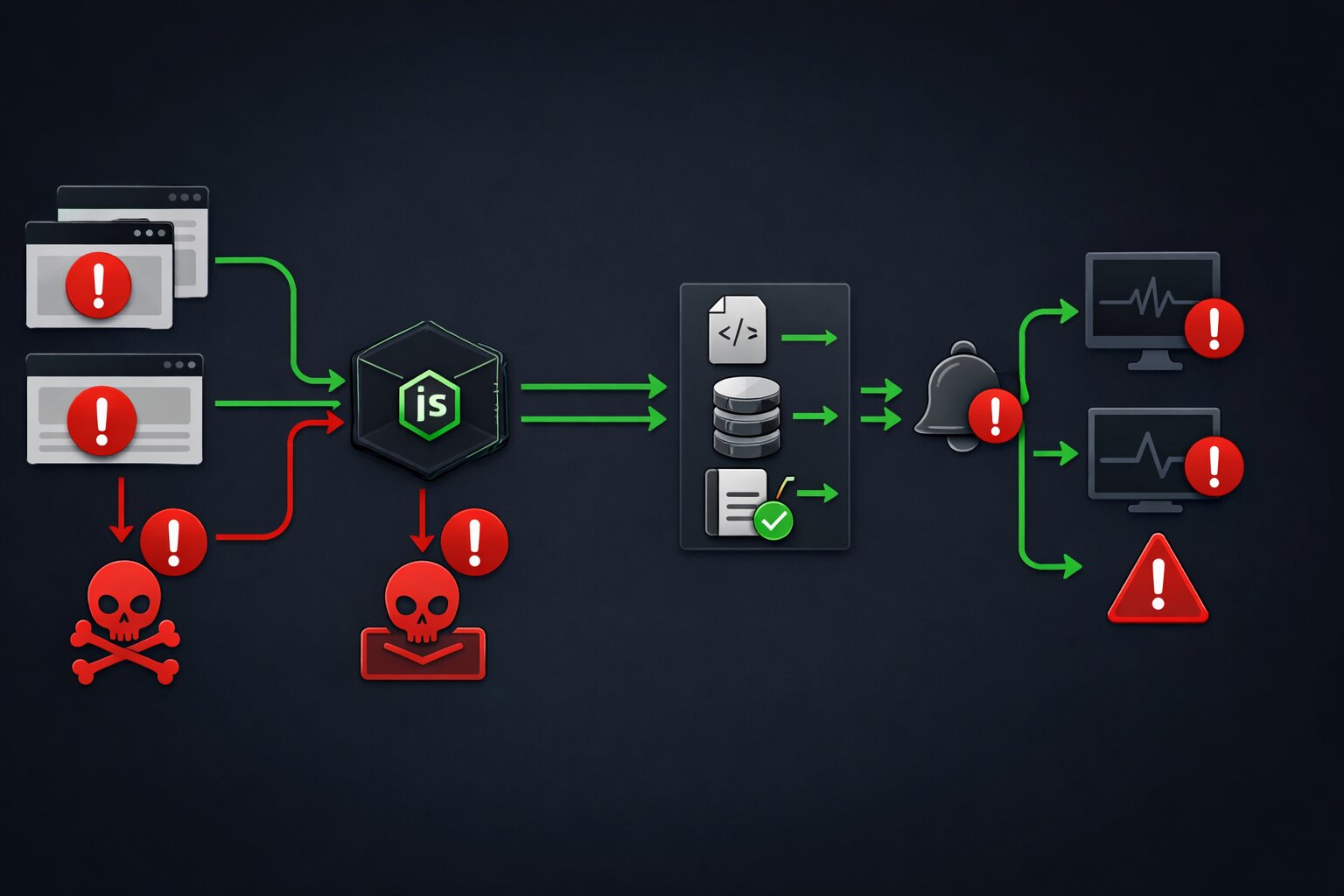
JavaScript Error Handling in Production 2026 and the Patterns That Prevent 3AM Wake-Up Calls
📧 Subscribe to JavaScript Insights
Get the latest JavaScript tutorials, career tips, and industry insights delivered to your inbox weekly.
Last month a single unhandled Promise rejection took down the checkout flow on a production e-commerce application for 47 minutes. The error was a network timeout calling a payment API. The code had a try/catch block around the fetch call. But the catch block did console.error(err) and returned null. The component that received null instead of a payment response tried to read .transactionId from it, threw a TypeError, and the entire React tree unmounted. No error boundary. No fallback UI. No alert to the on-call engineer. Just a blank screen for every user trying to buy something during a Friday evening traffic peak.
This is not a rare scenario. This is the default state of JavaScript error handling in most production applications. I run jsgurujobs.com and read through hundreds of codebases when reviewing job applications and technical assessments. The pattern is consistent: developers write happy path code, wrap it in try/catch as an afterthought, log the error to the console where nobody will ever see it, and move on. The error handling is there to satisfy the linter, not to protect users.
In 2026, with teams getting smaller due to AI-driven restructuring and fewer engineers maintaining larger and more complex codebases, production error handling is not a nice-to-have skill on a resume. It is the difference between sleeping through the night and getting a 3AM PagerDuty alert that your application is down, users are complaining on Twitter, and nobody on the team knows why because the error was swallowed by an empty catch block three months ago.
Why JavaScript Error Handling Matters More in 2026 Than Any Previous Year
The JavaScript ecosystem in 2026 has more error surface area than ever. React Server Components blur the boundary between server and client errors. Server Actions can throw on the server and the error propagates to the client in ways that most developers do not anticipate. Next.js middleware (now called proxy in version 16) runs at the edge and errors there affect every request to the application. AI-generated code introduces subtle bugs at 1.7x the rate of human-written code, and those bugs often manifest as runtime errors that no test caught.
On jsgurujobs.com, 35% of senior JavaScript job postings now mention observability, error monitoring, or production debugging as requirements. Two years ago that number was under 15%. Companies learned the hard way that features mean nothing if the application crashes in production and nobody knows about it for 45 minutes.
The developers who understand production error handling earn more because they prevent the outages that cost companies money. A 45-minute checkout outage on a Friday evening can cost a mid-size e-commerce company $50,000-$200,000 in lost revenue. The developer who prevents that outage by building proper error boundaries, structured logging, and alerting is worth every dollar of their $150K+ salary.
The try/catch Anti-Patterns That Every JavaScript Developer Uses Wrong
Every JavaScript developer knows try/catch. Most use it incorrectly. Here are the patterns I see in virtually every codebase I review.
The Empty Catch Block
try {
    const response = await fetch('/api/users');
    const data = await response.json();
    setUsers(data);
} catch (error) {
    // TODO: handle error
}
This is the most common error handling pattern in JavaScript and it is the worst. The error is silently swallowed. The application continues in an inconsistent state. The user sees stale data or a broken UI with no indication that something went wrong. The developer who wrote "TODO: handle error" never came back to handle it.
The Console.log That Nobody Reads
try {
    const response = await fetch('/api/users');
    const data = await response.json();
    setUsers(data);
} catch (error) {
    console.error('Failed to fetch users:', error);
}
This is marginally better than the empty catch because at least the error is logged somewhere. But console.error in production goes to the browser console, which nobody monitors. It is equivalent to writing the error on a piece of paper and putting it in a drawer. The error happened, was recorded, and will never be seen by anyone who can fix it.
The Generic Error Message
try {
    const response = await fetch('/api/users');
    const data = await response.json();
    setUsers(data);
} catch (error) {
    setError('Something went wrong. Please try again.');
}
The user sees "Something went wrong" and has no idea what happened. Was it a network error? A server error? An authentication error? The developer has no idea either because the actual error was replaced with a generic string. The user tries again, gets the same error, and leaves the application.
The Correct Pattern
try {
    const response = await fetch('/api/users');

    if (!response.ok) {
        throw new AppError(
            `Users API returned ${response.status}`,
            'USERS_FETCH_FAILED',
            { status: response.status, url: '/api/users' }
        );
    }

    const data = await response.json();
    setUsers(data);
} catch (error) {
    logger.error('Failed to fetch users', {
        error: error instanceof Error ? error.message : String(error),
        stack: error instanceof Error ? error.stack : undefined,
        component: 'UsersList',
        action: 'fetchUsers',
    });

    if (error instanceof AppError && error.code === 'USERS_FETCH_FAILED') {
        setError('Could not load users. The server may be temporarily unavailable.');
    } else {
        setError('An unexpected error occurred. Our team has been notified.');
    }
}
This pattern does four things that the console.error version does not: it checks the response status explicitly because fetch does not throw on 4xx/5xx responses, it creates a structured error with a machine-readable code and contextual metadata, it logs the error with enough detail to debug it later without asking the user what they were doing, and it shows the user a message that actually helps them understand what happened and what they can do about it. It takes 30 seconds longer to write than the console.error version. It saves hours of debugging in production and prevents user frustration that leads to churn.
React Error Boundaries for Production JavaScript Applications
React Error Boundaries are the most underused error handling feature in the React ecosystem. They catch rendering errors in the component tree below them and display a fallback UI instead of unmounting the entire application. Without error boundaries, a single TypeError in any component crashes the entire page.
Building a Production Error Boundary
import React, { Component, ErrorInfo } from 'react';
import { logger } from '@/lib/logger';

interface Props {
    children: React.ReactNode;
    fallback?: React.ReactNode;
    onError?: (error: Error, errorInfo: ErrorInfo) => void;
    level: 'page' | 'section' | 'widget';
}

interface State {
    hasError: boolean;
    error: Error | null;
}

class ErrorBoundary extends Component<Props, State> {
    constructor(props: Props) {
        super(props);
        this.state = { hasError: false, error: null };
    }

    static getDerivedStateFromError(error: Error): State {
        return { hasError: true, error };
    }

    componentDidCatch(error: Error, errorInfo: ErrorInfo) {
        logger.error('React Error Boundary caught error', {
            error: error.message,
            stack: error.stack,
            componentStack: errorInfo.componentStack,
            level: this.props.level,
        });

        this.props.onError?.(error, errorInfo);
    }

    render() {
        if (this.state.hasError) {
            if (this.props.fallback) {
                return this.props.fallback;
            }

            if (this.props.level === 'widget') {
                return null;
            }

            if (this.props.level === 'section') {
                return (
                    <div className="p-4 text-center text-gray-500">
                        This section could not be loaded. Please refresh the page.
                    </div>
                );
            }

            return (
                <div className="flex min-h-screen items-center justify-center">
                    <div className="text-center">
                        <h1 className="text-2xl font-bold">Something went wrong</h1>
                        <p className="mt-2 text-gray-600">
                            Our team has been notified. Please try refreshing the page.
                        </p>
                        <button
                            onClick={() => window.location.reload()}
                            className="mt-4 rounded bg-blue-600 px-4 py-2 text-white"
                        >
                            Refresh Page
                        </button>
                    </div>
                </div>
            );
        }

        return this.props.children;
    }
}

export default ErrorBoundary;
Strategic Error Boundary Placement
The key insight that most developers miss is that you need multiple error boundaries at different levels, not one at the root. A single root error boundary catches everything but replaces the entire page with an error message. Strategic placement lets you isolate failures.
// app/layout.tsx
export default function RootLayout({ children }) {
    return (
        <html>
            <body>
                <ErrorBoundary level="page">
                    <Navbar />
                    {children}
                </ErrorBoundary>
            </body>
        </html>
    );
}

// app/dashboard/page.tsx
export default function DashboardPage() {
    return (
        <div>
            <h1>Dashboard</h1>

            <ErrorBoundary level="section">
                <RevenueChart />
            </ErrorBoundary>

            <ErrorBoundary level="section">
                <RecentOrders />
            </ErrorBoundary>

            <ErrorBoundary level="widget">
                <NotificationBell />
            </ErrorBoundary>
        </div>
    );
}
If the RevenueChart component crashes, only that section shows an error message. RecentOrders and NotificationBell continue working. The user can still use the dashboard. Without section-level error boundaries, a bug in the chart takes down the entire dashboard.
For developers building React applications that users actually want to use, error boundaries are as important as performance optimization. A fast application that crashes is worse than a slow application that works.
Node.js Global Error Handlers for Production Servers
Node.js applications crash when unhandled errors occur. A single unhandled Promise rejection can take down your entire server. In 2026, Node.js treats unhandled rejections as fatal errors by default, terminating the process.
The Four Global Handlers Every Node.js Application Needs
// src/server.ts
import { logger } from './lib/logger';

// 1. Uncaught synchronous exceptions
process.on('uncaughtException', (error: Error) => {
    logger.fatal('Uncaught exception. Process will exit.', {
        error: error.message,
        stack: error.stack,
    });

    // Flush logs before exiting
    setTimeout(() => process.exit(1), 1000);
});

// 2. Unhandled Promise rejections
process.on('unhandledRejection', (reason: unknown) => {
    logger.fatal('Unhandled Promise rejection. Process will exit.', {
        reason: reason instanceof Error ? reason.message : String(reason),
        stack: reason instanceof Error ? reason.stack : undefined,
    });

    setTimeout(() => process.exit(1), 1000);
});

// 3. Graceful shutdown on SIGTERM (container orchestrators)
process.on('SIGTERM', () => {
    logger.info('SIGTERM received. Shutting down gracefully.');
    server.close(() => {
        logger.info('Server closed. Exiting.');
        process.exit(0);
    });
});

// 4. Graceful shutdown on SIGINT (Ctrl+C in development)
process.on('SIGINT', () => {
    logger.info('SIGINT received. Shutting down.');
    server.close(() => process.exit(0));
});
The critical detail is the setTimeout before process.exit(1). Without this delay, the logger might not finish writing the error to your logging service before the process terminates. You lose the one piece of information that would help you debug the crash.
Express and Node.js API Error Middleware
Every Express or Fastify application needs a centralized error handler that catches errors from all routes.
// src/middleware/errorHandler.ts
import { Request, Response, NextFunction } from 'express';
import { logger } from '../lib/logger';
import { AppError } from '../lib/errors';

export function errorHandler(
    err: Error,
    req: Request,
    res: Response,
    next: NextFunction
) {
    const requestContext = {
        method: req.method,
        url: req.url,
        ip: req.ip,
        userAgent: req.get('user-agent'),
        userId: (req as any).userId,
    };

    if (err instanceof AppError) {
        logger.warn('Application error', {
            ...requestContext,
            code: err.code,
            message: err.message,
            statusCode: err.statusCode,
        });

        return res.status(err.statusCode).json({
            error: {
                code: err.code,
                message: err.message,
            },
        });
    }

    // Unexpected errors
    logger.error('Unexpected server error', {
        ...requestContext,
        error: err.message,
        stack: err.stack,
    });

    return res.status(500).json({
        error: {
            code: 'INTERNAL_ERROR',
            message: 'An unexpected error occurred. Our team has been notified.',
        },
    });
}
This middleware distinguishes between expected errors (validation failures, not found, unauthorized) and unexpected errors (null pointer exceptions, database connection failures). Expected errors get logged as warnings and return helpful messages. Unexpected errors get logged as errors with full stack traces and return a generic message that does not leak internal details.
Structured Logging for JavaScript Production Applications
Console.log is not logging. Logging is sending structured data to a system that stores, indexes, and alerts on it. The difference is the difference between talking to yourself and filing a report.
Building a Production Logger
// src/lib/logger.ts
type LogLevel = 'debug' | 'info' | 'warn' | 'error' | 'fatal';

interface LogEntry {
    level: LogLevel;
    message: string;
    timestamp: string;
    context?: Record<string, unknown>;
}

class Logger {
    private service: string;
    private environment: string;

    constructor() {
        this.service = process.env.SERVICE_NAME || 'app';
        this.environment = process.env.NODE_ENV || 'development';
    }

    private log(level: LogLevel, message: string, context?: Record<string, unknown>) {
        const entry: LogEntry = {
            level,
            message,
            timestamp: new Date().toISOString(),
            context: {
                ...context,
                service: this.service,
                environment: this.environment,
            },
        };

        // In production, send to logging service
        if (this.environment === 'production') {
            // Send to Sentry, DataDog, or your logging pipeline
            this.sendToLoggingService(entry);
        }

        // Always write to stdout for container log collection
        const output = JSON.stringify(entry);
        if (level === 'error' || level === 'fatal') {
            process.stderr.write(output + '\n');
        } else {
            process.stdout.write(output + '\n');
        }
    }

    private async sendToLoggingService(entry: LogEntry) {
        // Integration with Sentry, DataDog, etc.
        // This is where your monitoring service captures the error
    }

    debug(message: string, context?: Record<string, unknown>) {
        this.log('debug', message, context);
    }

    info(message: string, context?: Record<string, unknown>) {
        this.log('info', message, context);
    }

    warn(message: string, context?: Record<string, unknown>) {
        this.log('warn', message, context);
    }

    error(message: string, context?: Record<string, unknown>) {
        this.log('error', message, context);
    }

    fatal(message: string, context?: Record<string, unknown>) {
        this.log('fatal', message, context);
    }
}

export const logger = new Logger();
The key principle is structured JSON output. Not console.log('Error fetching users') but {"level":"error","message":"Failed to fetch users","timestamp":"2026-03-24T10:15:30Z","context":{"userId":"abc123","endpoint":"/api/users","status":500}}. Structured logs can be searched, filtered, aggregated, and alerted on by your monitoring tool. Unstructured text strings written to console.log cannot be processed by any monitoring system and are effectively invisible in production.
For developers working with Node.js applications that need to handle memory and performance, structured logging also helps identify memory leaks and performance degradation by correlating error rates with resource consumption.
Custom Error Classes for JavaScript Applications
JavaScript's built-in Error class carries only a message and a stack trace. Production applications need errors that carry context: what happened, a machine-readable code, HTTP status, and metadata.
// src/lib/errors.ts
export class AppError extends Error {
    public readonly code: string;
    public readonly statusCode: number;
    public readonly context: Record<string, unknown>;
    public readonly isOperational: boolean;

    constructor(
        message: string,
        code: string,
        context: Record<string, unknown> = {},
        statusCode: number = 500,
        isOperational: boolean = true
    ) {
        super(message);
        this.name = 'AppError';
        this.code = code;
        this.statusCode = statusCode;
        this.context = context;
        this.isOperational = isOperational;

        // Preserve stack trace
        Error.captureStackTrace(this, this.constructor);
    }
}

// Usage: specific error types
export class NotFoundError extends AppError {
    constructor(resource: string, id: string) {
        super(
            `${resource} with id ${id} not found`,
            'NOT_FOUND',
            { resource, id },
            404
        );
    }
}

export class ValidationError extends AppError {
    constructor(field: string, reason: string) {
        super(
            `Validation failed: ${field} ${reason}`,
            'VALIDATION_ERROR',
            { field, reason },
            400
        );
    }
}

export class AuthenticationError extends AppError {
    constructor(reason: string = 'Invalid credentials') {
        super(reason, 'AUTHENTICATION_ERROR', {}, 401);
    }
}

export class RateLimitError extends AppError {
    constructor(retryAfter: number) {
        super(
            `Rate limit exceeded. Retry after ${retryAfter} seconds`,
            'RATE_LIMIT_EXCEEDED',
            { retryAfter },
            429
        );
    }
}
The isOperational flag distinguishes between expected errors (validation failures, not found, rate limits) and programming errors (null pointer exceptions, type errors, undefined property access). Operational errors are handled gracefully and shown to users with helpful messages. Programming errors trigger immediate alerts because they indicate bugs in the code that need to be fixed by a developer. This distinction is what allows your error handler to decide automatically whether to show a user-friendly message or page the on-call engineer.
Retry Patterns for Unreliable APIs in JavaScript
External APIs fail. Payment providers timeout. Email services return 503. Database connections drop. Production code must handle transient failures by retrying with exponential backoff.
// src/lib/retry.ts
interface RetryOptions {
    maxAttempts: number;
    baseDelay: number;
    maxDelay: number;
    shouldRetry?: (error: unknown) => boolean;
}

export async function withRetry<T>(
    fn: () => Promise<T>,
    options: RetryOptions
): Promise<T> {
    const { maxAttempts, baseDelay, maxDelay, shouldRetry } = options;

    for (let attempt = 1; attempt <= maxAttempts; attempt++) {
        try {
            return await fn();
        } catch (error) {
            const isLastAttempt = attempt === maxAttempts;
            const isRetryable = shouldRetry ? shouldRetry(error) : true;

            if (isLastAttempt || !isRetryable) {
                throw error;
            }

            const delay = Math.min(
                baseDelay * Math.pow(2, attempt - 1) + Math.random() * 100,
                maxDelay
            );

            logger.warn(`Retry attempt ${attempt}/${maxAttempts}`, {
                delay,
                error: error instanceof Error ? error.message : String(error),
            });

            await new Promise(resolve => setTimeout(resolve, delay));
        }
    }

    throw new Error('Retry failed: should not reach here');
}

// Usage
const paymentResult = await withRetry(
    () => paymentProvider.charge(amount, currency),
    {
        maxAttempts: 3,
        baseDelay: 1000,
        maxDelay: 10000,
        shouldRetry: (error) => {
            if (error instanceof AppError) {
                return error.statusCode >= 500 || error.statusCode === 429;
            }
            return true;
        },
    }
);
The shouldRetry function is critical. You want to retry 500 (server error) and 429 (rate limit). You do not want to retry 400 (bad request) or 401 (unauthorized) because those will fail every time regardless of how many times you retry. Retrying non-retryable errors wastes time and creates unnecessary load on the failing service.
The exponential backoff with jitter (the Math.random() * 100) prevents the thundering herd problem where all retries hit the failing service at the same time after the same delay.
How to Set Up Error Monitoring With Sentry for JavaScript Applications
Knowing about errors is useless if you find out about them from users instead of from your monitoring system. Sentry is the most common error monitoring tool for JavaScript applications, and setting it up correctly takes 15 minutes.
Client-Side Sentry Setup
// src/lib/sentry-client.ts
import * as Sentry from '@sentry/react';

Sentry.init({
    dsn: process.env.NEXT_PUBLIC_SENTRY_DSN,
    environment: process.env.NODE_ENV,
    tracesSampleRate: 0.1, // 10% of transactions for performance
    replaysOnErrorSampleRate: 1.0, // 100% of errors get session replay

    beforeSend(event) {
        // Filter out noise
        if (event.exception?.values?.[0]?.type === 'ChunkLoadError') {
            return null; // Ignore chunk loading errors from deployments
        }
        return event;
    },

    integrations: [
        Sentry.replayIntegration({
            maskAllText: true,
            blockAllMedia: true,
        }),
    ],
});
Server-Side Sentry Setup for Node.js
// src/lib/sentry-server.ts
import * as Sentry from '@sentry/node';

Sentry.init({
    dsn: process.env.SENTRY_DSN,
    environment: process.env.NODE_ENV,
    tracesSampleRate: 0.2,

    beforeSend(event) {
        // Remove sensitive data
        if (event.request?.headers) {
            delete event.request.headers['authorization'];
            delete event.request.headers['cookie'];
        }
        return event;
    },
});
The beforeSend hook is where you prevent sensitive data from reaching your monitoring service. Authorization headers, cookies, and user passwords should never appear in your error logs. This is both a security practice and a compliance requirement under GDPR and similar regulations.
For developers building applications where AI-generated code introduces security vulnerabilities, error monitoring provides an early warning system. A sudden spike in TypeError or undefined errors after deploying AI-generated code indicates that the AI introduced bugs that testing did not catch.
Graceful Degradation When External Services Fail
The best error handling does not show error messages. It degrades gracefully so the user might not even notice that something went wrong.
// Graceful degradation pattern
async function DashboardPage() {
    const [revenue, recommendations, notifications] = await Promise.allSettled([
        fetchRevenue(),
        fetchRecommendations(),
        fetchNotifications(),
    ]);

    return (
        <div>
            {revenue.status === 'fulfilled' ? (
                <RevenueChart data={revenue.value} />
            ) : (
                <RevenueChartSkeleton message="Revenue data temporarily unavailable" />
            )}

            {recommendations.status === 'fulfilled' ? (
                <Recommendations items={recommendations.value} />
            ) : (
                <div className="text-sm text-gray-400">
                    Recommendations are loading slowly. Check back in a moment.
                </div>
            )}

            {notifications.status === 'fulfilled' ? (
                <NotificationBell count={notifications.value.length} />
            ) : null}
        </div>
    );
}
Promise.allSettled is the key. Unlike Promise.all which rejects if any promise rejects, allSettled waits for all promises to complete and tells you which succeeded and which failed. This lets you render the parts of the page that loaded successfully and show fallbacks for the parts that failed.
The notification bell silently disappears if notifications fail to load. The revenue chart shows a skeleton with a message. Recommendations show a gentle "loading slowly" message. The user gets a working page instead of a blank screen or a generic error.
Server Action Error Handling in Next.js and React Server Components
React Server Components and Server Actions in Next.js introduce a new category of errors that many developers do not handle at all. A Server Action runs on the server, but the error must be communicated to the client. If you throw an unhandled error in a Server Action, the client receives a generic "An error occurred" message with no useful information.
The Wrong Way to Handle Server Action Errors
'use server';

export async function createJob(formData: FormData) {
    const title = formData.get('title') as string;
    const company = formData.get('company') as string;

    // This throws if the database is down
    // The client sees "An error occurred" with no context
    const job = await db.jobs.create({
        data: { title, company },
    });

    return job;
}
The Production Way to Handle Server Action Errors
'use server';

import { z } from 'zod';
import { logger } from '@/lib/logger';

const createJobSchema = z.object({
    title: z.string().min(3, 'Title must be at least 3 characters').max(200),
    company: z.string().min(2).max(100),
});

type ActionResult = {
    success: boolean;
    data?: any;
    error?: {
        code: string;
        message: string;
        fieldErrors?: Record<string, string[]>;
    };
};

export async function createJob(formData: FormData): Promise<ActionResult> {
    try {
        const parsed = createJobSchema.safeParse({
            title: formData.get('title'),
            company: formData.get('company'),
        });

        if (!parsed.success) {
            return {
                success: false,
                error: {
                    code: 'VALIDATION_ERROR',
                    message: 'Please fix the form errors below.',
                    fieldErrors: parsed.error.flatten().fieldErrors,
                },
            };
        }

        const job = await db.jobs.create({ data: parsed.data });

        return { success: true, data: { id: job.id } };
    } catch (error) {
        logger.error('Failed to create job', {
            error: error instanceof Error ? error.message : String(error),
            stack: error instanceof Error ? error.stack : undefined,
            action: 'createJob',
        });

        return {
            success: false,
            error: {
                code: 'SERVER_ERROR',
                message: 'Could not create the job posting. Please try again.',
            },
        };
    }
}
The pattern is simple: never throw from a Server Action. Always return a result object with success, data, and error fields. The client can check result.success and display the appropriate UI without try/catch. Validation errors include field-level details so the form can highlight which fields need fixing. Server errors return a user-friendly message while logging the full error details for developers.
Designing API Error Response Formats for JavaScript Applications
How your API formats error responses determines how easily the frontend can handle errors. A well-designed error format reduces frontend error handling code by 50% because every error follows the same structure.
A Consistent Error Response Format
// Every error response from your API follows this shape
interface ApiErrorResponse {
    error: {
        code: string;        // Machine-readable: "NOT_FOUND", "VALIDATION_ERROR"
        message: string;     // Human-readable: "Job posting not found"
        details?: unknown;   // Optional: field errors, retry info, etc.
        requestId: string;   // For support: "req_abc123"
    };
}

// Express middleware that formats all errors consistently
export function errorFormatter(
    err: Error,
    req: Request,
    res: Response,
    next: NextFunction
) {
    const requestId = req.headers['x-request-id'] || crypto.randomUUID();

    if (err instanceof ValidationError) {
        return res.status(400).json({
            error: {
                code: 'VALIDATION_ERROR',
                message: err.message,
                details: err.context,
                requestId,
            },
        });
    }

    if (err instanceof NotFoundError) {
        return res.status(404).json({
            error: {
                code: 'NOT_FOUND',
                message: err.message,
                requestId,
            },
        });
    }

    // Unknown errors: log full details, return safe message
    logger.error('Unhandled API error', {
        requestId,
        error: err.message,
        stack: err.stack,
        url: req.url,
        method: req.method,
    });

    return res.status(500).json({
        error: {
            code: 'INTERNAL_ERROR',
            message: 'An unexpected error occurred.',
            requestId,
        },
    });
}
The requestId field is invaluable for debugging. When a user reports "I got an error," you ask for the request ID and immediately find the exact error in your logs. Without request IDs, you are searching through thousands of log entries trying to find the one that matches the user's description of "something went wrong around 3 PM."
Frontend Error State Management Patterns
Handling errors in the UI is as important as catching them in the code. A common mistake is treating errors as binary (either error or no error) when most applications need multiple error states.
// A robust error state for any data-fetching component
type DataState<T> =
    | { status: 'idle' }
    | { status: 'loading' }
    | { status: 'success'; data: T }
    | { status: 'error'; error: AppError; retryCount: number }
    | { status: 'retrying'; retryCount: number };

function useJobSearch(query: string) {
    const [state, setState] = useState<DataState<Job[]>>({ status: 'idle' });

    async function search() {
        setState({ status: 'loading' });

        try {
            const jobs = await searchJobs(query);
            setState({ status: 'success', data: jobs });
        } catch (error) {
            const appError = error instanceof AppError
                ? error
                : new AppError('Search failed', 'SEARCH_ERROR', {}, 500);

            setState({
                status: 'error',
                error: appError,
                retryCount: 0,
            });
        }
    }

    async function retry() {
        const currentRetry = state.status === 'error' ? state.retryCount : 0;

        if (currentRetry >= 3) return;

        setState({ status: 'retrying', retryCount: currentRetry + 1 });

        try {
            const jobs = await searchJobs(query);
            setState({ status: 'success', data: jobs });
        } catch (error) {
            setState({
                status: 'error',
                error: error instanceof AppError ? error : new AppError('Search failed', 'SEARCH_ERROR'),
                retryCount: currentRetry + 1,
            });
        }
    }

    return { state, search, retry };
}
This pattern gives the UI five distinct states to render: idle (show search prompt), loading (show spinner), success (show results), error (show error with retry button), and retrying (show "trying again" message). Each state gets its own UI treatment, and the user always knows what is happening.
Error Handling in AI-Generated JavaScript Code
AI coding tools generate code without error handling by default. When you ask Copilot or Cursor to write a function that fetches data, it writes the happy path. The try/catch, if present, is the minimal console.error version. This is one of the main reasons why AI-generated code produces 1.7x more bugs in production.
When using AI to generate code, add error handling as a specific requirement in your prompt. Instead of "write a function to fetch user data," say "write a function to fetch user data with proper error handling, structured logging, retry logic for transient failures, and a typed error response." The AI produces significantly better error handling when explicitly asked for it.
Better yet, establish error handling patterns in your codebase first (the AppError class, the logger, the retry utility) and then let AI use those patterns. AI is excellent at following established patterns. It is terrible at inventing good patterns from scratch. Give it the tools and it will use them correctly.
Error Handling in Async React Hooks and useEffect
One of the trickiest error handling scenarios in React is async operations inside useEffect. You cannot make useEffect async directly, and errors thrown inside async functions within useEffect do not propagate to Error Boundaries. The error creates an unhandled Promise rejection that silently fails, leaving the component showing stale data or an infinite loading spinner.
// The correct pattern for async operations in useEffect
useEffect(() => {
    let cancelled = false;

    async function loadData() {
        try {
            setLoading(true);
            setError(null);

            const response = await fetch('/api/jobs');

            if (!response.ok) {
                throw new AppError(
                    `Jobs API returned ${response.status}`,
                    'JOBS_FETCH_FAILED',
                    { status: response.status }
                );
            }

            const data = await response.json();

            if (!cancelled) {
                setJobs(data);
                setLoading(false);
            }
        } catch (error) {
            if (!cancelled) {
                logger.error('Failed to load jobs in useEffect', {
                    error: error instanceof Error ? error.message : String(error),
                    component: 'JobsList',
                });

                setError(
                    error instanceof AppError
                        ? error.message
                        : 'Failed to load jobs. Please refresh the page.'
                );
                setLoading(false);
            }
        }
    }

    loadData();

    return () => {
        cancelled = true;
    };
}, []);
The cancelled flag prevents state updates after the component unmounts. Without it, navigating away from a page while data is loading triggers a React warning and can cause memory leaks. This is one of the most common React bugs in production and it only manifests on slow network connections where the user navigates away before the fetch completes.
Setting Up Production Alerts That Actually Work
Having errors in your monitoring system is only useful if someone sees them before users start complaining. Production alerting bridges the gap between "an error was logged" and "an engineer is fixing it."
Not every error deserves an alert. A 404 when a user types a wrong URL is noise. A 500 on the checkout endpoint is critical. The key is categorizing errors by business impact and setting thresholds that prevent alert fatigue.
Critical alerts that should wake someone up at 3AM include any 500 error on payment, checkout, or authentication endpoints, any error rate above 5% on any endpoint sustained for more than 2 minutes, and any unhandled exception that crashes a server process. These indicate that users cannot complete core actions and revenue is being lost.
Warning alerts that should go to a Slack channel include any new error type that has not been seen before, any error rate above 1% sustained for 5 minutes, and any third-party API returning errors consistently for more than 10 minutes. These indicate emerging problems that need investigation but are not yet affecting most users.
The worst mistake teams make with alerting is alerting on everything. When every error triggers a notification, engineers stop reading notifications. This is called alert fatigue and it is the reason why teams with monitoring still miss critical incidents. Set thresholds high enough that an alert always means "drop what you are doing and look at this" and never means "probably fine, ignore it."
The Error Handling Checklist for Production JavaScript Applications
After reviewing hundreds of codebases, I can predict whether an application will have 3AM incidents by checking five things.
Does every async function have error handling that is not just console.error? If the answer is no, production errors are invisible. Does the application have React Error Boundaries at multiple levels? If no, a single component error takes down the entire page. Does the server have global error handlers for uncaught exceptions and unhandled rejections? If no, the server crashes silently. Is there a centralized logger that sends errors to a monitoring service? If no, errors exist only in container logs that nobody reads. Do external API calls have retry logic with exponential backoff? If no, every transient failure becomes a user-facing error.
Five questions. Five implementations. Each takes less than an hour. Together they prevent 90% of the 3AM incidents that plague production JavaScript applications. The remaining 10% require deeper debugging skills, and debugging JavaScript systematically is a skill that every production engineer needs.
The developers who build these patterns into every application they touch are the developers who sleep through the night. The developers who write catch (error) { console.log(error) } are the developers who get paged at 3AM on a Saturday. The choice is yours, and it takes about four hours to implement all five patterns in an existing application. Four hours of work for years of uninterrupted sleep. That is the best return on investment in all of software engineering.
FAQ
What is the most common JavaScript error handling mistake in production?
The empty catch block or the catch block that only does console.error. Both result in errors being silently swallowed in production where nobody monitors the browser console. Every catch block should log to a monitoring service and either show a meaningful error to the user or degrade gracefully.
Do I need React Error Boundaries if I use try/catch everywhere?
Yes. Error Boundaries catch rendering errors that try/catch cannot. If a component throws during render, the error propagates up the React tree and unmounts everything below the nearest Error Boundary. Without boundaries, the entire application crashes. With them, only the failing section shows a fallback.
Which error monitoring tool should I use for JavaScript applications?
Sentry is the most widely used and has the best JavaScript integration. DataDog is popular in larger organizations that need combined logging, metrics, and error tracking. For smaller projects, LogRocket provides session replay that shows you exactly what the user did before the error occurred. All three have free tiers.
How many retries should I use for external API calls?
Three attempts with exponential backoff is the standard pattern. First retry after 1 second, second after 2 seconds, third after 4 seconds. Only retry on server errors (5xx) and rate limits (429). Never retry client errors (4xx) because they will fail every time.
Share this article