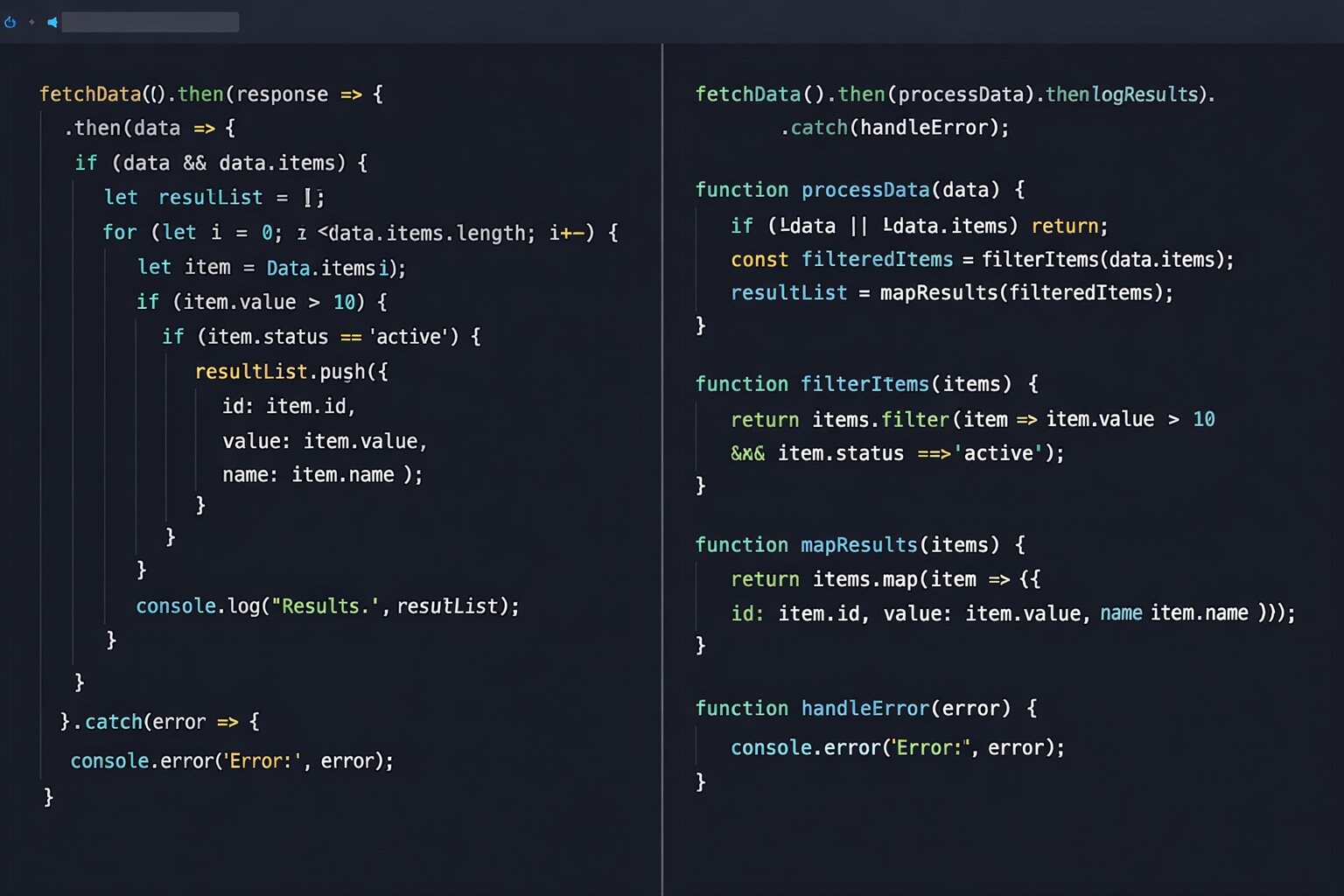
How to Write Clean JavaScript Code in 2026 and the Production Patterns That Make Other Developers Actually Want to Review Your Pull Requests
📧 Subscribe to JS Pulse
The JavaScript job market in one email: real numbers from 600+ job listings, 5 jobs worth applying to, and what actually changed. Join 9,000+ developers.
I reviewed a pull request last week that had 47 files changed, 2,300 lines added, and a description that said "refactored user module." It took me 3 hours to review. I found 14 issues. The developer spent another day fixing them. Then I reviewed it again and found 6 more issues that the fixes introduced. Total time from PR opened to PR merged: 4 days. For a refactoring that should have been 3 separate PRs with 15 files each, reviewable in 20 minutes each.
This is what bad code costs in 2026. Not runtime errors. Not performance problems. Not security vulnerabilities. Developer time. The time to understand code someone else wrote, review code in a pull request, debug unexpected behavior in code you thought you understood, and modify code without breaking something unrelated three folders away. In a market where companies laid off 60,000 engineers in Q1 2026 and teams are smaller than they have been in a decade, every hour spent deciphering messy code is an hour not spent shipping features that keep the company alive.
Clean JavaScript code is not about following a style guide. ESLint and Prettier handle formatting. Clean code is about writing code that another developer (or your future self) can read, understand, and modify without needing the original author to explain it. On jsgurujobs.com, "clean code" and "code quality" appear in 30% of senior role descriptions. It is not a nice-to-have. It is a hiring criterion.
This article covers the production patterns that make JavaScript code genuinely clean in 2026. Not the basics you learned in a bootcamp. The patterns that experienced developers use to write code that gets approved on the first review, survives 2 years of modifications by different people, and does not need comments to explain what it does.
Why Clean JavaScript Code Matters More in 2026 Than in Any Previous Year
Three forces made clean code more important this year than ever before.
First, AI generates more code than humans now. Cursor, Copilot, and Claude Code produce thousands of lines daily. This code compiles and passes tests but is often repetitive, inconsistent in style, and difficult for humans to review. The developer who can clean up AI output and make it maintainable is more valuable than the developer who accepts AI output as-is. Companies are discovering that AI makes developers work longer not faster partly because AI-generated code creates a maintenance burden that accumulates over weeks.
Second, teams are smaller after layoffs. When 3 developers maintain a codebase that 8 developers built, every file must be self-explanatory. There is no one to ask "what does this function do?" because the person who wrote it was laid off 6 months ago. Clean code is documentation that never gets outdated.
Third, code review is the bottleneck at most companies. A survey by LinearB found that the average PR waits 24 hours for review. The PRs that wait longest are the ones that are hardest to understand. Clean, well-structured PRs get reviewed in hours. Messy PRs sit in the queue for days because nobody wants to spend 3 hours understanding 2,300 lines of tangled logic.
How to Name Variables and Functions So Code Reads Like English
Naming is the most impactful clean code practice and the one that developers at every level get wrong most often. A good name eliminates the need for a comment entirely. A bad name requires a comment to explain it, and then that comment gets outdated as the code changes, and then the outdated comment becomes actively misleading, which is worse than no comment at all.
Variables Should Describe What They Hold, Not How They Were Created
// Bad: describes the computation
const filteredArray = users.filter(u => u.active);
const mappedData = orders.map(o => o.total);
const reducedSum = items.reduce((sum, i) => sum + i.price, 0);

// Good: describes the content
const activeUsers = users.filter(u => u.active);
const orderTotals = orders.map(o => o.total);
const totalPrice = items.reduce((sum, i) => sum + i.price, 0);
filteredArray tells you nothing about what the array contains. activeUsers tells you exactly what you are working with. When you read if (activeUsers.length === 0) later in the code, you understand instantly. When you read if (filteredArray.length === 0), you have to scroll back to figure out what was filtered and why.
Boolean Variables Should Read Like Questions
// Bad: ambiguous
const status = true;
const permission = false;
const data = true;

// Good: reads like a yes/no question
const isLoggedIn = true;
const hasPermission = false;
const isDataLoaded = true;
When you read if (isLoggedIn && hasPermission), the code reads like English. When you read if (status && permission), you need context to understand what status and what permission.
Functions Should Describe What They Do, Not How They Do It
// Bad: describes implementation
function processData(users: User[]): UserDTO[] {
    // 40 lines of transformation logic
}

// Good: describes outcome
function convertUsersToPublicProfiles(users: User[]): UserDTO[] {
    // same 40 lines, but now the caller knows what to expect
}
A function called processData could do literally anything. A function called convertUsersToPublicProfiles tells the caller exactly what goes in (users), what comes out (public profiles), and what happens (conversion). The caller never needs to read the implementation to understand the function's purpose.
Avoid Abbreviations Unless They Are Universal
btn for button is fine. usr for user is not. req and res in Express middleware are fine because every Express developer knows them. cfg for configuration is not because it saves 9 characters and costs 2 seconds of confusion every time someone reads it.
The rule: if a new developer joining the team would need to ask what the abbreviation means, spell it out completely. The 2 seconds you save typing the abbreviated version are paid back 100 times by every developer who reads the code over the next 2 years and does not have to pause to decode your shorthand.
How to Write Functions That Do One Thing and Why It Changes Everything
The single responsibility principle for functions is the most powerful clean code practice. A function that does one thing is easy to name (because it only does one thing to name), easy to test (because there is only one behavior to verify), and easy to modify (because changes affect only one behavior).
Breaking Down Multi-Responsibility Functions
// Bad: does three things
async function handleCheckout(cart: Cart, user: User) {
    // Validate cart
    if (cart.items.length === 0) throw new Error('Cart is empty');
    for (const item of cart.items) {
        const stock = await getStock(item.id);
        if (stock < item.quantity) {
            throw new Error(`${item.name} is out of stock`);
        }
    }

    // Calculate total
    let total = 0;
    for (const item of cart.items) {
        const price = item.price * item.quantity;
        const discount = await getDiscount(item.id, user.tier);
        total += price - discount;
    }
    total += calculateTax(total, user.state);
    total += calculateShipping(cart.items, user.address);

    // Process payment
    const payment = await stripe.charges.create({
        amount: Math.round(total * 100),
        currency: 'usd',
        customer: user.stripeId,
    });

    await saveOrder({ userId: user.id, items: cart.items, total, paymentId: payment.id });
    await sendConfirmationEmail(user.email, cart.items, total);
    await clearCart(cart.id);

    return { orderId: payment.id, total };
}
This function validates, calculates, charges, saves, emails, and clears. Six responsibilities. Testing it requires mocking Stripe, email, database, and inventory. Modifying the tax calculation means reading through 40 lines to find the relevant 3 lines.
// Good: each function does one thing
async function handleCheckout(cart: Cart, user: User) {
    await validateCartStock(cart);
    const total = await calculateOrderTotal(cart, user);
    const payment = await processPayment(total, user);
    await saveOrder(user, cart, total, payment.id);
    await sendConfirmationEmail(user, cart, total);
    await clearCart(cart.id);
    return { orderId: payment.id, total };
}

async function validateCartStock(cart: Cart) {
    if (cart.items.length === 0) throw new Error('Cart is empty');
    for (const item of cart.items) {
        const stock = await getStock(item.id);
        if (stock < item.quantity) {
            throw new Error(`${item.name} is out of stock`);
        }
    }
}

async function calculateOrderTotal(cart: Cart, user: User): Promise<number> {
    let subtotal = 0;
    for (const item of cart.items) {
        const price = item.price * item.quantity;
        const discount = await getDiscount(item.id, user.tier);
        subtotal += price - discount;
    }
    const tax = calculateTax(subtotal, user.state);
    const shipping = calculateShipping(cart.items, user.address);
    return subtotal + tax + shipping;
}

async function processPayment(total: number, user: User) {
    return stripe.charges.create({
        amount: Math.round(total * 100),
        currency: 'usd',
        customer: user.stripeId,
    });
}
Now handleCheckout reads like a recipe. Each step is a function call with a descriptive name. Testing calculateOrderTotal does not require mocking Stripe. Modifying the payment process does not risk breaking the tax calculation. A code reviewer can understand the checkout flow by reading 8 lines instead of 40.
How to Write TypeScript Types That Document Your Code
TypeScript types are the best documentation in JavaScript because they are verified by the compiler. A comment saying "this function returns a user object" can become outdated. A TypeScript return type of User cannot.
Use Union Types Instead of Boolean Parameters
// Bad: what does 'true' mean here?
function createUser(name: string, isAdmin: boolean) {
    // ...
}
createUser('John', true); // What is true? Nobody knows without reading the function

// Good: the type documents the intent
type UserRole = 'admin' | 'editor' | 'viewer';

function createUser(name: string, role: UserRole) {
    // ...
}
createUser('John', 'admin'); // Crystal clear
Boolean parameters hide meaning at the call site. When you read createUser('John', true) in a code review, you have to jump to the function definition to understand what true means. Is it isAdmin? isVerified? isActive? You cannot tell without looking. When you read createUser('John', 'admin'), the code is completely self-documenting and the reviewer never needs to leave the current file.
Use Branded Types for IDs
// Bad: any string can be passed as any ID
function getUser(id: string): User { ... }
function getOrder(id: string): Order { ... }

// Accidentally passing an order ID where a user ID is expected
const user = getUser(orderId); // TypeScript says this is fine. It is not.

// Good: branded types prevent ID mix-ups
type UserId = string & { readonly __brand: 'UserId' };
type OrderId = string & { readonly __brand: 'OrderId' };

function getUser(id: UserId): User { ... }
function getOrder(id: OrderId): Order { ... }

const user = getUser(orderId); // TypeScript ERROR: OrderId is not UserId
Branded types add zero runtime cost (the brand exists only at compile time) but catch an entire category of bugs where IDs of different entities are accidentally swapped. For developers building TypeScript patterns that senior developers actually use, branded types are one of the most practical advanced patterns.
Prefer Narrow Types Over Wide Types
// Bad: accepts anything, provides no guarantees
function processPayment(amount: number, currency: string): object {
    // ...
}

// Good: narrow input, narrow output
type Currency = 'USD' | 'EUR' | 'GBP';
type CentsAmount = number & { readonly __brand: 'Cents' };

interface PaymentResult {
    id: string;
    status: 'succeeded' | 'failed' | 'pending';
    amount: CentsAmount;
    currency: Currency;
}

function processPayment(amount: CentsAmount, currency: Currency): Promise<PaymentResult> {
    // ...
}
Narrow types make invalid states impossible. You cannot pass 'BTC' as a currency. You cannot return an unstructured object. The type system enforces correctness at compile time, which is cheaper than enforcing it at runtime with validation or, worse, discovering it in production through a bug report.
How to Write Small Pull Requests That Get Approved Fast
The size of a pull request is the strongest predictor of review quality and review speed. Google's engineering research found that PRs with under 200 lines changed get reviewed in under 1 hour with thoughtful, detailed feedback. PRs with over 1,000 lines changed take 2+ days to receive any review at all and the feedback is typically superficial because the reviewer is overwhelmed and stops paying close attention after the first 300 lines.
The Single Concern PR
Each PR should address one concern. Not "refactored user module" (what specifically was refactored?). Not "added authentication and fixed cart bug and updated dependencies" (three separate changes). One PR, one change, one review.
If you are adding a new feature that requires database changes, API changes, and UI changes, split it into 3 PRs. PR 1: database migration and repository layer. PR 2: API endpoint and controller. PR 3: UI component and integration. Each PR is reviewable independently, deployable independently, and revertable independently.
Write PR Descriptions That Eliminate Questions
A PR description should answer three questions: what changed, why it changed, and how to verify it works.
## What changed
Replaced the inline tax calculation in handleCheckout with a
separate calculateTax function that handles state-specific tax
rates from the tax_rates database table.

## Why
The inline calculation used a hardcoded 8.25% rate for all states.
Texas customers were being charged California tax rates. This
caused 12 support tickets last week.

## How to verify
1. Run `npm test -- --grep tax` (3 new tests added)
2. Check that calculateTax('TX', 100) returns 6.25
3. Check that calculateTax('CA', 100) returns 8.25
A reviewer who reads this description understands the PR before looking at a single line of code. They know what to look for (correct tax rates by state), why it matters (12 support tickets), and how to verify (specific test commands). Compare this to a PR with no description where the reviewer must infer all of this from the code diff.
How to Handle Errors Without Making Code Unreadable
Error handling is where clean code principles get tested most severely. Production code needs error handling. But wrapping every function call in try-catch makes the happy path invisible under layers of error handling boilerplate.
The Early Return Pattern for Validation
// Bad: deeply nested validation
async function updateProfile(userId: string, data: ProfileUpdate) {
    const user = await findUser(userId);
    if (user) {
        if (user.isActive) {
            if (data.email) {
                const existing = await findByEmail(data.email);
                if (!existing) {
                    await updateUser(userId, data);
                    return { success: true };
                } else {
                    throw new Error('Email already taken');
                }
            } else {
                throw new Error('Email is required');
            }
        } else {
            throw new Error('User is deactivated');
        }
    } else {
        throw new Error('User not found');
    }
}

// Good: early returns flatten the logic
async function updateProfile(userId: string, data: ProfileUpdate) {
    const user = await findUser(userId);
    if (!user) throw new Error('User not found');
    if (!user.isActive) throw new Error('User is deactivated');
    if (!data.email) throw new Error('Email is required');

    const existing = await findByEmail(data.email);
    if (existing) throw new Error('Email already taken');

    await updateUser(userId, data);
    return { success: true };
}
The early return version has the same logic but reads top to bottom without any nesting. Each validation check is one line. The happy path (the last two lines) is clearly visible at the bottom of the function without navigating nested brackets or matching opening braces to closing braces across 20 lines. A reviewer can see all validation rules at a glance, verify each one independently, and confirm the happy path without any mental bracket matching.
Typed Errors Instead of Generic Error Messages
// Bad: generic errors that tell the caller nothing useful
throw new Error('Something went wrong');
throw new Error('Invalid input');

// Good: typed errors with actionable information
class NotFoundError extends Error {
    constructor(entity: string, id: string) {
        super(`${entity} with id ${id} not found`);
        this.name = 'NotFoundError';
    }
}

class ValidationError extends Error {
    constructor(
        public readonly field: string,
        public readonly reason: string
    ) {
        super(`Validation failed: ${field} ${reason}`);
        this.name = 'ValidationError';
    }
}

// Usage
throw new NotFoundError('User', userId);
throw new ValidationError('email', 'is already taken');
Typed errors let the calling code handle different error types differently. A NotFoundError should return HTTP 404. A ValidationError should return HTTP 422 with the field name and reason. A generic Error forces the calling code to parse the error message string to figure out what happened, which is fragile and unmaintainable.
For developers who build production error handling systems that prevent 3AM wake-up calls, typed errors are the foundation of error handling that actually works at scale.
How to Write Comments That Add Value Instead of Noise
The best code needs no comments because the names, types, and structure explain everything. But some code needs comments. The key is knowing when a comment adds value and when it is noise.
Comments Should Explain Why, Not What
// Bad: the comment repeats the code
// Check if user is active
if (user.isActive) {

// Bad: the comment describes the obvious
// Loop through items
for (const item of items) {

// Good: the comment explains business logic
// Users who registered before 2024 are grandfathered into the old pricing tier
if (user.createdAt < new Date('2024-01-01')) {

// Good: the comment explains a non-obvious technical decision
// Using setTimeout instead of requestAnimationFrame because this runs in a Web Worker
// where rAF is not available
setTimeout(processNextBatch, 0);
A comment that says "check if user is active" above if (user.isActive) is pure noise. It adds nothing. A comment that explains why users before 2024 get different pricing is valuable because that business rule is not obvious from the code and cannot be expressed through naming alone.
TODO Comments That Actually Get Fixed
// Bad: vague TODO that nobody will fix
// TODO: fix this later

// Good: specific TODO with context and timeline
// TODO(@zamir, Sprint 14): Replace this N+1 query with a JOIN.
// Current impact: 200ms added to dashboard load for accounts with 50+ projects.
// Tracked in JIRA-4521.
A TODO without a name, timeline, and tracking ticket is a wish, not a task. A TODO with all three is actionable. During sprint planning, someone can search for their name in TODOs and find concrete tasks with business impact already described.
How AI-Generated JavaScript Code Fails at Clean Code and How to Fix It
AI coding tools produce code that works but often violates clean code principles in consistent, predictable ways. Knowing these patterns helps you clean up AI output faster and turns a 20-minute cleanup into a 5-minute one. The developers who can take AI-generated code and make it production-quality in minutes are the most productive developers on any team in 2026.
AI Generates Overly Verbose Code
AI tends to write explicit code where concise patterns exist. It writes 10 lines of if-else where a ternary or early return would suffice. It creates intermediate variables for values used only once. It adds type annotations that TypeScript infers automatically.
// AI-generated: verbose
const items: Item[] = await fetchItems();
const filteredItems: Item[] = items.filter((item: Item) => {
    if (item.isActive === true) {
        return true;
    } else {
        return false;
    }
});
const result: Item[] = filteredItems;
return result;

// Cleaned up: same behavior, half the code
const items = await fetchItems();
return items.filter(item => item.isActive);
AI Duplicates Instead of Abstracting
When you ask AI to build similar functionality in two places, it copies the logic instead of extracting a shared function. After generating code, look for duplicated blocks and extract them into shared utilities. This is the cleanup step that turns AI-generated code into maintainable code.
AI Ignores Project Conventions
AI generates code based on its training data, not your project's conventions. It might use camelCase when your project uses snake_case for database fields. It might put files in the wrong folder. It might use axios when your project uses native fetch. Always review AI-generated code against your project's conventions before committing.
For developers who understand how to structure JavaScript projects for consistency, adding a .cursorrules or project convention file helps AI follow your patterns from the start.
The Clean Code Practices That Show Up in Senior JavaScript Interviews
Interviewers at senior level do not ask "what is clean code?" They give you messy code and ask you to refactor it. They show you a PR and ask you to review it. They present a function and ask you to improve it. The patterns in this article are exactly what they test.
The most common clean code interview question in 2026 is: "here is a function that works correctly but has problems. How would you improve it?" The expected answer covers naming improvements (replace generic names with descriptive ones), structural improvements (extract helper functions, flatten deeply nested conditions with early returns), type improvements (narrow wide types, replace any with proper interfaces, add branded types for IDs), and error handling improvements (use typed errors instead of generic strings, add early returns for validation). The candidate who can systematically improve working code demonstrates production maturity that goes beyond just making things work.
For developers preparing for code review interviews where giving and receiving feedback matters, clean code knowledge is the foundation. You cannot give useful code review feedback if you cannot identify what makes code clean or messy.
How to Eliminate Magic Numbers and Hardcoded Values That Nobody Understands
Magic numbers are literal values in code with no explanation of what they represent. They are one of the most common sources of confusion in JavaScript codebases and one of the easiest problems to fix.
// Bad: what do these numbers mean?
if (password.length < 8) {
    throw new Error('Too short');
}

if (retryCount > 3) {
    throw new Error('Too many retries');
}

setTimeout(refreshToken, 3600000);

if (user.role === 2) {
    showAdminPanel();
}
Every number in this code requires the reader to guess its meaning. Is 8 the minimum password length? Why 3 retries and not 5? What is 3600000 milliseconds? What does role 2 represent?
// Good: named constants explain everything
const MIN_PASSWORD_LENGTH = 8;
const MAX_RETRY_ATTEMPTS = 3;
const TOKEN_REFRESH_INTERVAL_MS = 60 * 60 * 1000; // 1 hour

const UserRole = {
    VIEWER: 0,
    EDITOR: 1,
    ADMIN: 2,
} as const;

if (password.length < MIN_PASSWORD_LENGTH) {
    throw new ValidationError('password', `must be at least ${MIN_PASSWORD_LENGTH} characters`);
}

if (retryCount > MAX_RETRY_ATTEMPTS) {
    throw new Error(`Failed after ${MAX_RETRY_ATTEMPTS} attempts`);
}

setTimeout(refreshToken, TOKEN_REFRESH_INTERVAL_MS);

if (user.role === UserRole.ADMIN) {
    showAdminPanel();
}
Now every value has a name. Changing the minimum password length from 8 to 12 requires changing one constant, not finding every instance of 8 in the codebase (and hoping you do not accidentally change an 8 that represents something else). The error messages automatically include the correct values because they reference the constants.
The rule is simple: if a number appears in your code and its meaning is not obvious from the immediate context, give it a name. The exceptions are 0, 1, -1, and array indices where the meaning is self-evident.
How to Keep JavaScript Functions Pure When Possible and Why It Matters for Testing
A pure function takes inputs, returns an output, and does nothing else. No database calls, no API requests, no modifying global state, no reading from the DOM. Pure functions are the easiest code to test, the easiest to understand, and the easiest to reuse.
// Impure: reads from external state, hard to test
function calculateDiscount(itemId: string): number {
    const item = globalStore.getItem(itemId); // reads from global state
    const now = new Date(); // depends on current time
    if (now.getMonth() === 11) { // December
        return item.price * 0.2;
    }
    return 0;
}

// Pure: everything comes in through parameters
function calculateDiscount(price: number, isHolidaySeason: boolean): number {
    if (isHolidaySeason) {
        return price * 0.2;
    }
    return 0;
}
The pure version is testable with a single line: expect(calculateDiscount(100, true)).toBe(20). No mocking global stores. No faking the current date. No setup. No teardown. Just input and expected output.
In a real application, not every function can be pure. Database calls, API requests, and DOM interactions are inherently impure. The clean code approach is to push impurity to the edges: the controller or event handler (the edge) fetches the data and passes it to pure functions for processing. The pure functions do the logic. The edge saves the result.
// Edge: impure, handles I/O
async function handlePriceUpdate(req: Request, res: Response) {
    const product = await db.products.findUnique({ where: { id: req.params.id } });
    const season = await getSeasonConfig();

    // Core: pure, handles logic
    const finalPrice = calculateFinalPrice(product.basePrice, season.discountRate, product.taxRate);

    // Edge: impure, saves result
    await db.products.update({ where: { id: product.id }, data: { price: finalPrice } });
    res.json({ price: finalPrice });
}

// Pure function: easy to test, no dependencies
function calculateFinalPrice(basePrice: number, discountRate: number, taxRate: number): number {
    const discounted = basePrice * (1 - discountRate);
    return discounted * (1 + taxRate);
}
This pattern gives you the best of both worlds: the I/O operations happen at the edges where they must, and the business logic lives in pure functions where it is easy to test and reason about.
How to Write Clean React Components in 2026
React components have their own clean code patterns that go beyond general JavaScript practices.
Keep Components Under 100 Lines
A React component over 100 lines is doing too much. It probably handles multiple states, renders multiple sections, and contains logic that should be extracted into hooks or utility functions. When a component grows past 100 lines, split it.
// Bad: 200+ line component doing everything
function UserDashboard() {
    const [user, setUser] = useState(null);
    const [orders, setOrders] = useState([]);
    const [notifications, setNotifications] = useState([]);
    const [activeTab, setActiveTab] = useState('orders');
    // ... 20 more state variables
    // ... 15 useEffect hooks
    // ... 10 handler functions
    // ... 150 lines of JSX
}

// Good: composed from focused sub-components
function UserDashboard() {
    const { user, loading } = useUser();
    const [activeTab, setActiveTab] = useState<DashboardTab>('orders');

    if (loading) return <DashboardSkeleton />;
    if (!user) return <LoginPrompt />;

    return (
        <div className="dashboard">
            <DashboardHeader user={user} />
            <TabNavigation activeTab={activeTab} onChange={setActiveTab} />
            <DashboardContent tab={activeTab} userId={user.id} />
            <NotificationPanel userId={user.id} />
        </div>
    );
}
The parent component orchestrates. Each child component owns its own data fetching, state, and rendering. You can understand the dashboard's structure by reading 15 lines instead of 200.
Extract Complex Conditional Rendering Into Named Components
// Bad: inline conditional rendering that is hard to scan
return (
    <div>
        {isLoggedIn ? (
            hasPermission ? (
                isAdmin ? (
                    <AdminPanel />
                ) : (
                    <EditorPanel />
                )
            ) : (
                <AccessDenied />
            )
        ) : (
            <LoginForm />
        )}
    </div>
);

// Good: extract the decision into a component
function DashboardView({ user }: { user: User | null }) {
    if (!user) return <LoginForm />;
    if (!user.hasPermission) return <AccessDenied />;
    if (user.isAdmin) return <AdminPanel />;
    return <EditorPanel />;
}

return (
    <div>
        <DashboardView user={user} />
    </div>
);
The extracted component uses early returns instead of nested ternaries. Each condition is one line. The decision logic is testable independently from the parent component.
The 10 Code Smells That Instantly Signal Messy JavaScript
After reviewing thousands of pull requests through jsgurujobs community interactions and hiring processes, these are the ten code smells I notice within seconds of opening a file.
Any function over 30 lines. Any file over 300 lines. Any variable named data, result, temp, value, or item without additional context. Any any type in TypeScript that is not explicitly justified with a comment explaining why a proper type was not possible. Any deeply nested callback or conditional (more than 3 levels deep). Any commented-out code that has been sitting there for more than one sprint. Any console.log left in production code. Any function that takes more than 3 parameters (use an options object instead). Any duplicated block of code appearing in 2+ places. Any try-catch block that catches an error and does nothing with it.
Each of these smells has a specific fix. Long functions get split. Wide types get narrowed. Deep nesting gets flattened with early returns. Duplicated code gets extracted. The developer who can spot these smells during code review and suggest specific fixes is the developer who maintains code quality across the entire team, which is exactly the skill that separates $300K senior developers from everyone else.
The Clean Code Checklist for Every PR You Submit
Before submitting any pull request, run through these checks mentally. Every variable named descriptively. Every function doing one thing. Every boolean parameter replaced with a union type or separate function. Every deeply nested condition replaced with early returns. Every error typed, not generic. Every comment explaining why, not what. PR under 200 lines. PR description answering what, why, and how to verify.
This takes 5 minutes of review before you click "Create Pull Request." It eliminates the majority of review comments, which means faster approval, fewer review cycles, and more time shipping features instead of addressing feedback on code style.
Clean code is not about making code pretty. It is about making code cheap to change. Every project starts clean on day one when there are 10 files and one developer. Entropy turns it messy over time as different developers add code under different pressures with different standards and different levels of care. The technical debt accumulates silently until one day a simple bug fix takes 3 days because nobody can understand the code that needs changing.
The developers who resist entropy, who write each function as if someone unfamiliar with the project will need to modify it tomorrow (because they will), are the developers who keep projects maintainable for years. In 2026, with smaller teams after 60,000 layoffs and faster shipping expectations from management that now expects AI to make everything faster, that discipline is not optional. It is what separates the developers who build lasting systems from the developers who build code that works today and costs a fortune to change tomorrow. The choice between spending 5 extra minutes writing a clean function and spending 5 extra hours understanding a messy one six months later is not a real choice. It is an investment that always pays off.
If you want to see which JavaScript companies value clean code skills and what they pay for production-quality engineering, I track this data weekly at jsgurujobs.com.
FAQ
What is the most important clean code practice for JavaScript developers?
Naming. Good names eliminate the need for comments, make code self-documenting, and reduce the time other developers spend understanding your code. A function called convertUsersToPublicProfiles needs no explanation. A function called processData needs a paragraph of comments. Invest extra seconds in naming and save hours in code review.
How small should pull requests be?
Under 200 lines changed. Google's research shows that PRs under this threshold get reviewed in under 1 hour with higher quality feedback. PRs over 1,000 lines take 2+ days and receive superficial reviews because the reviewer is overwhelmed. Split large changes into multiple PRs, each addressing one concern.
Should I add comments to my JavaScript code?
Only when the comment explains why, not what. Code that says if (user.isActive) does not need a comment saying "check if user is active." Code that applies a special rule for users registered before 2024 should explain the business reason. If you need a comment to explain what code does, the code itself should be rewritten to be clearer.
How do I clean up AI-generated JavaScript code?
Look for three patterns: verbose code that can be simplified (remove unnecessary intermediate variables and explicit type annotations that TypeScript infers), duplicated logic that should be extracted into shared functions, and convention violations (wrong naming style, wrong file location, wrong libraries). These three checks cover 90% of AI code quality issues.
📧 Subscribe to JS Pulse
The JavaScript job market in one email: real numbers from 600+ job listings, 5 jobs worth applying to, and what actually changed. Join 9,000+ developers.
Share this article