Axios Was Just Compromised in 2026 and What the Supply Chain Attack on npm's Most Popular HTTP Client Means for Every JavaScript Developer
📧 Subscribe to JS Pulse
The JavaScript job market in one email: real numbers from 600+ job listings, 5 jobs worth applying to, and what actually changed. Join 9,000+ developers.
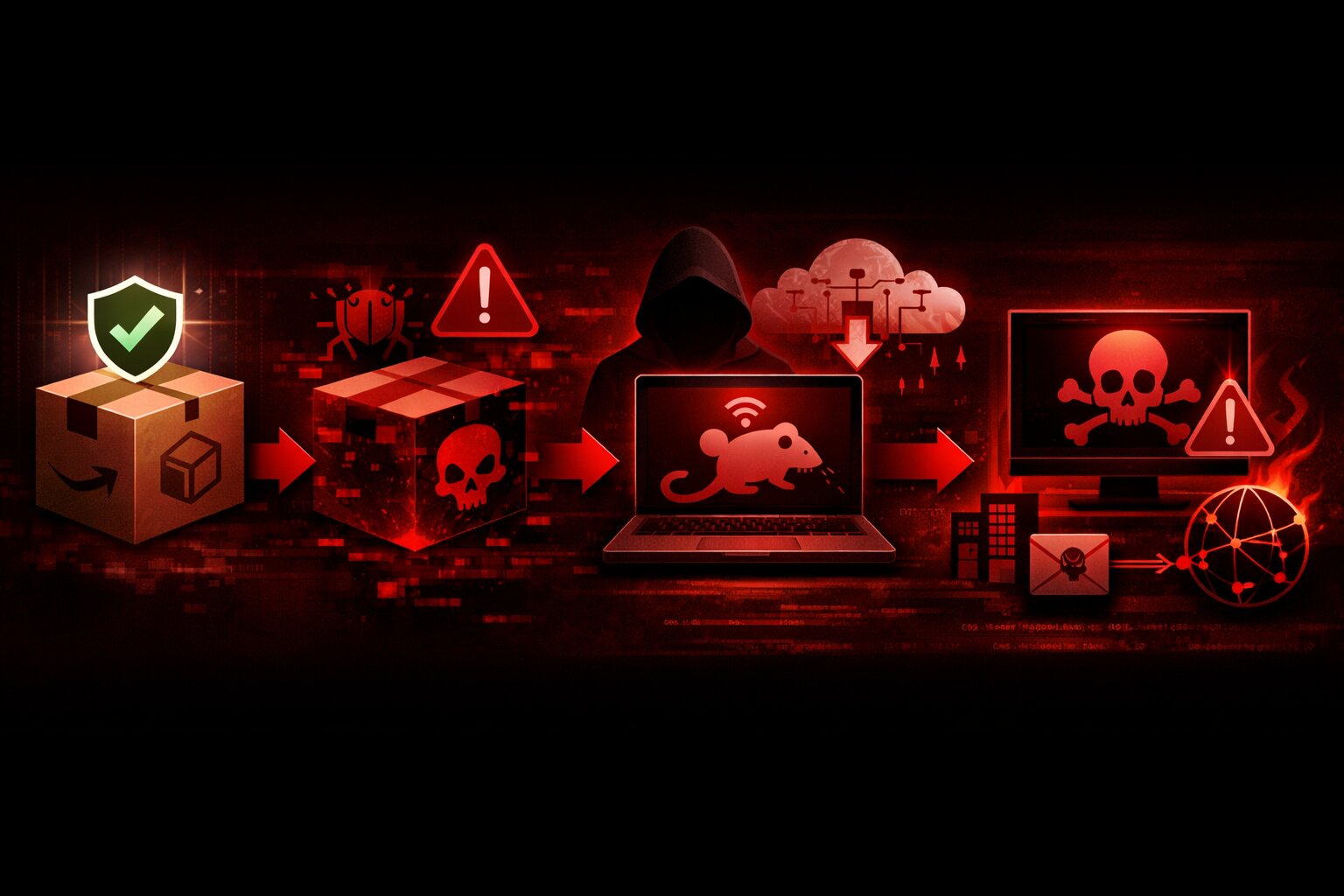
Axios has been compromised. Not a vulnerability. Not a bug. A full supply chain attack. On March 30, 2026, an attacker hijacked the npm account of a lead Axios maintainer, published two poisoned versions (axios@1.14.1 and axios@0.30.4), and injected a cross-platform Remote Access Trojan that targets macOS, Windows, and Linux. If you ran npm install in any project that uses Axios in the last 48 hours, your machine may be compromised right now.
Axios has over 83 million weekly downloads on npm. It is the most widely used HTTP client in the entire JavaScript ecosystem. It runs in React applications, Node.js servers, enterprise backends, serverless functions, and nearly every JavaScript project that makes HTTP requests. The tweet from Feross Aboukhadijeh (founder of Socket Security, creator of WebTorrent and StandardJS) announcing the attack got 6,910 likes, 1,944 reposts, and 1.9 million views in hours. The Open Source Malware threat database called this "one of the most successful software supply chain attacks ever."
This article covers what happened, how the attack works technically, how to check if you are affected, what to do immediately if you are, alternatives to Axios, how this compares to previous npm attacks, and what this means for JavaScript dependency security going forward. If you use Axios in any project, stop reading this paragraph and go check your package-lock.json right now. Then come back and read the rest.
What Happened to Axios on npm and How the Attack Was Executed
The attack was not opportunistic. It was methodical, coordinated, and designed to be invisible.
The Timeline of the Axios Compromise
On March 30, 2026 at 05:57 UTC, a clean package called plain-crypto-js@4.2.0 was published to npm by the account nrwise (email: nrwise@proton.me). This version was a harmless copy of the legitimate crypto-js library. It existed solely to establish the package name and build trust.
Eighteen hours later, at 23:59 UTC on March 30, the attacker published plain-crypto-js@4.2.1. This version contained the actual malware: an obfuscated Node.js dropper that deploys a cross-platform Remote Access Trojan.
At approximately 00:20 UTC on March 31, the attacker used the compromised npm account of jasonsaayman, a lead Axios maintainer, to publish axios@1.14.1. This version contained no malicious code in the Axios source itself. The only change was the addition of plain-crypto-js@4.2.1 as a runtime dependency in package.json. Thirty-nine minutes later, axios@0.30.4 was published with the identical malicious dependency. Both the 1.x and 0.x release branches were poisoned within under 40 minutes of each other, suggesting the attacker had a scripted or rehearsed procedure.
Socket's automated malware detection flagged plain-crypto-js within six minutes of the malicious version being published. But by that point, the compromised Axios versions were already live on npm and being pulled by automated build systems worldwide.
How the Maintainer Account Was Hijacked
The attacker compromised the npm account of jasonsaayman and changed its registered email to a Proton Mail address under their control (ifstap@proton.me). StepSecurity's investigation concluded that the attacker likely obtained a long-lived classic npm access token for the account. With this token, they bypassed Axios's normal GitHub Actions CI/CD pipeline entirely and published directly to the npm registry via the npm CLI.
This is a critical detail that many developers will miss. The malicious code was never committed to the Axios GitHub repository. It never appeared in any pull request or code review. If you checked the Axios GitHub repo during the attack, everything looked completely normal and legitimate. The poisoned versions existed only on the npm registry. This means code review, branch protection, and CI/CD checks were completely irrelevant because the attacker never went through the normal publishing workflow.
The fact that GitHub issues reporting the compromise were initially being deleted suggests the attacker may have also compromised the maintainer's GitHub account, not just their npm credentials.
How the Axios Malware Works and What It Does to Your Machine
The attack is technically sophisticated and specifically designed to avoid detection. Understanding how it works helps you understand why it is so dangerous.
The Postinstall Hook Attack Vector
Neither axios@1.14.1 nor axios@0.30.4 contains a single line of malicious code inside the Axios source itself. The Axios code is identical to the legitimate version. Instead, both versions add plain-crypto-js@4.2.1 as a dependency in package.json. When npm installs this dependency, it runs a postinstall script called setup.js.
{
    "name": "plain-crypto-js",
    "version": "4.2.1",
    "scripts": {
        "postinstall": "node setup.js"
    }
}
The setup.js file is an obfuscated Node.js dropper. When it executes, it detects the operating system and branches into one of three attack paths.
On macOS, it runs an AppleScript payload that fetches a trojan binary from an external command-and-control server at sfrclak.com:8000. On Windows, it copies payload files to the ProgramData directory and executes decoded shell commands. On Linux, it stages files in the OS temp directory and launches the payload.
Self-Destructing Forensic Evidence
After the malware runs, it performs three cleanup operations. It removes the postinstall script from the installed package directory. It deletes the package.json that references the postinstall hook. It renames a file called package.md (which is a clean package.json without the malicious hook) to package.json.
The result: if a developer inspects their node_modules/plain-crypto-js/ folder after the infection, everything looks completely normal. The malicious postinstall script is gone. The package.json is clean and shows no trace of the postinstall hook. There is no visible evidence that anything malicious ever happened. This level of forensic cleanup is unprecedented in npm supply chain attacks and indicates a sophisticated, well-resourced attacker, not a script kiddie experimenting with malware.
What the RAT Can Do on Your Machine
The Remote Access Trojan deployed by this attack is designed for intelligence gathering and credential harvesting. It enumerates files in .ssh and .aws directories, harvesting SSH keys, AWS credentials, and cloud tokens. It monitors running processes. It can execute arbitrary commands sent from the C2 server.
Security researchers at Open Source Malware noted that the absence of cryptocurrency miners or ransomware components suggests this is likely an advanced persistent threat (APT) actor focused on espionage and intelligence gathering, not financial gain. The targets are developer machines, which typically have privileged access to production infrastructure, cloud provider credentials, private source code repositories, and deployment pipelines.
For developers who work on web security and understand how AI-generated code compounds the attack surface, this attack demonstrates that the biggest security threat is not in the code you write. It is in the code you install.
How to Check If You Are Affected by the Axios Attack
Check immediately. This is not optional.
Check Your package-lock.json
Open your package-lock.json (or yarn.lock or pnpm-lock.yaml) and search for the affected versions.
# Check for compromised Axios versions
grep -r "axios.*1.14.1" package-lock.json
grep -r "axios.*0.30.4" package-lock.json

# Check for the malicious dependency
grep -r "plain-crypto-js" package-lock.json
grep -r "plain-crypto-js" yarn.lock
grep -r "plain-crypto-js" node_modules/
If any of these searches return results, your project installed the compromised version.
Check Your node_modules Directory
# Check if plain-crypto-js exists in your node_modules
ls node_modules/plain-crypto-js/

# Check the installed Axios version
cat node_modules/axios/package.json | grep version
Remember that the malware cleans up after itself. The absence of a visible setup.js in plain-crypto-js does not mean you were not infected. If plain-crypto-js exists in your node_modules at all, you were affected.
Check for C2 Communication
# Check DNS resolution history (macOS/Linux)
grep "sfrclak" /var/log/system.log 2>/dev/null
grep "sfrclak" ~/.bash_history 2>/dev/null

# Check for suspicious processes
ps aux | grep -i "plain-crypto"
If your machine connected to sfrclak.com:8000, the RAT payload was downloaded and executed. Assume full compromise.
What to Do Right Now If You Are Affected
Immediate Steps
First, downgrade Axios to a safe version. The last known safe versions are axios@1.14.0 (for 1.x users) and axios@0.30.3 (for 0.x users).
npm install axios@1.14.0
# or
npm install axios@0.30.3
Second, pin your Axios version in package.json to prevent automatic upgrades.
{
    "dependencies": {
        "axios": "1.14.0"
    }
}
Note the absence of the ^ caret prefix. With ^1.14.0, npm would install 1.14.1 (the compromised version) because it satisfies the semver range. With 1.14.0 (no caret), npm installs exactly that version.
Third, delete node_modules and package-lock.json and reinstall from scratch.
rm -rf node_modules package-lock.json
npm install
Fourth, and most critically: rotate all secrets and credentials immediately. This includes SSH keys, AWS credentials, API tokens, database passwords, environment variables, and any other secrets that were accessible from the compromised machine. The RAT specifically targets .ssh and .aws directories. If those directories existed on your machine when you ran npm install, assume the attacker has copies of their contents.
If You Run CI/CD Pipelines
Check your CI/CD build logs for the timeframe of March 30-31. If any build installed Axios during that period, the build environment may have been compromised. CI/CD environments often have access to deployment credentials, cloud infrastructure, and production secrets. Rotate everything that was accessible from those environments.
Why npm Caret Dependencies Make This Attack So Effective
The reason this attack has such a massive blast radius is npm's default dependency resolution behavior. When you install a package with npm, the default entry in package.json uses a caret range.
{
    "dependencies": {
        "axios": "^1.14.0"
    }
}
The ^ means "any version compatible with 1.14.0," which includes 1.14.1. Any project with ^1.14.0 or ^1.x.x where x.x resolves to 1.14.1 would pull the compromised version on the next npm install. This happens automatically in CI/CD pipelines, on new developer machine setups, and whenever node_modules is deleted and reinstalled.
This is not a theoretical risk. It is the default behavior of npm. Every npm install in a project that uses Axios with a caret range during the window of the attack installed the malware automatically, silently, and with no user interaction required.
How Lockfiles Should Have Protected You
If your package-lock.json was committed to Git and you ran npm ci (which installs exact versions from the lockfile) instead of npm install (which resolves ranges), you were protected. The lockfile pins exact versions, so even though your package.json says ^1.14.0, the lockfile says 1.14.0 specifically.
The problem is that many teams run npm install instead of npm ci, many developers delete package-lock.json when they encounter dependency conflicts, and many CI/CD pipelines are configured with npm install instead of npm ci. Each of these practices turns the lockfile from a security boundary into a suggestion.
What This Attack Means for npm Dependency Security in 2026
This is not the first npm supply chain attack. The event-stream incident in 2018, the ua-parser-js compromise in 2021, and the colors and faker sabotage in 2022 all demonstrated the fragility of the npm ecosystem. But the Axios attack is in a different category because of its scale (83 million weekly downloads), its sophistication (multi-platform RAT with forensic cleanup), and its execution (hijacking a real maintainer's credentials to publish through the official npm account).
The npm Single Point of Failure Problem
npm's security model trusts account credentials. If an attacker obtains a maintainer's access token, they can publish any code under that package name. There is no code signing. There is no mandatory two-party review for publishes. There is no automated comparison between the published package and the source repository. The npm registry is a trust-based system, and that trust was violated.
npm has added two-factor authentication, but classic access tokens can bypass 2FA for publishing. The Axios attacker used exactly this method: a long-lived classic token that never triggered a 2FA challenge. Until npm deprecates long-lived access tokens entirely and requires 2FA for every publish operation without exception, this attack vector remains wide open for every single package in the registry, including packages with hundreds of millions of weekly downloads.
What You Should Change in Your Projects Today
First, always use npm ci instead of npm install in CI/CD pipelines. npm ci installs from the lockfile exactly, never resolving ranges. This is the single most important change you can make.
Second, audit your dependencies regularly. Run npm audit weekly. Use tools like Socket.dev, Snyk, or npm audit signatures to detect compromised packages.
Third, consider pinning exact versions for critical dependencies. Instead of ^1.14.0, use 1.14.0. This prevents automatic upgrades that could pull compromised versions. The tradeoff is that you must manually update versions, but for security-critical packages, manual updates with review are better than automatic updates without review.
Fourth, enable npm package provenance verification if available. This allows npm to verify that a published package was built from a specific Git commit in a specific repository, making it harder for attackers to publish tampered versions.
For developers who understand that AI-generated code already faces a trust crisis with 46% of developers not trusting it, the Axios attack extends that trust crisis to the entire npm ecosystem. The code you install is no more trustworthy than the code an AI generates. Both require verification.
How This Affects Hiring and What Companies Now Expect From JavaScript Developers
Supply chain security is no longer an optional skill for JavaScript developers. After incidents like this, companies will update their job requirements and interview questions.
On jsgurujobs.com, security-related requirements in JavaScript job postings have increased 40% over the past year alone. This attack will accelerate that trend significantly. Expect to see "experience with dependency auditing," "understanding of supply chain security," and "lockfile management" in more job descriptions.
In interviews, expect questions like "how do you protect your project from supply chain attacks?" and "what is the difference between npm install and npm ci?" The developers who can answer these questions demonstrate production awareness. The developers who cannot demonstrate that they install packages blindly and hope for the best.
For developers already focused on JavaScript application security at the enterprise level, the Axios attack is a case study they should know inside and out.
The Broader Lesson About JavaScript Dependency Culture
The JavaScript ecosystem installs dependencies like no other programming language ecosystem. A typical React application has 800-1,500 packages in its node_modules folder. Each package is maintained by a different person or team. Each maintainer has npm credentials that could be compromised. Each package runs postinstall scripts that execute arbitrary code on your machine.
The Axios attack exploited this exact culture. The attacker did not need to find a vulnerability in Axios. They needed one set of credentials for one maintainer account. That single compromise gave them the ability to execute arbitrary code on millions of machines worldwide within hours.
This is not a problem that individual developers can solve. It requires ecosystem-level changes: mandatory 2FA for all npm publishes, deprecation of long-lived access tokens, package provenance verification, and better tooling for detecting unexpected dependency changes. But until those changes happen, every JavaScript developer is responsible for protecting their own projects.
Should You Replace Axios Entirely After This Attack
The Axios attack raises a legitimate question: should you keep using Axios at all? The package itself is not the problem. The code in Axios is safe. The problem was the compromised maintainer credentials. This could happen to any package maintained by any individual on npm.
The Case for Switching to fetch
Modern JavaScript has the fetch API built into every browser and Node.js 18+. For most HTTP requests, you do not need Axios at all.
// Axios
const response = await axios.get('https://api.example.com/users');
const users = response.data;

// Native fetch - no dependency needed
const response = await fetch('https://api.example.com/users');
const users = await response.json();
// Axios POST
const response = await axios.post('https://api.example.com/users', {
    name: 'John',
    email: 'john@example.com',
});

// Native fetch POST
const response = await fetch('https://api.example.com/users', {
    method: 'POST',
    headers: { 'Content-Type': 'application/json' },
    body: JSON.stringify({ name: 'John', email: 'john@example.com' }),
});
const data = await response.json();
Fetch requires slightly more code for POST requests and does not automatically throw on HTTP error status codes (you need to check response.ok manually). But fetch has zero dependencies, zero supply chain risk, and is maintained by browser vendors and the Node.js team, not by individual npm maintainers.
The Case for Keeping Axios
Axios provides features that fetch does not: automatic request/response interceptors, request cancellation (before AbortController was widely available), automatic JSON transformation, and progress events for file uploads. If your application uses interceptors heavily (for authentication token refresh, request logging, or error normalization), switching to fetch requires rewriting that infrastructure.
For new projects starting today, consider using the native fetch API and adding a thin wrapper only for features you actually need. For existing projects with deep Axios integration including interceptors, request cancellation, and custom adapters, pinning the version and auditing the lockfile on every update is more practical and less risky than a full migration under time pressure.
Alternative HTTP Libraries
If you want a third-party HTTP client without the baggage of the Axios attack, consider ky (a tiny fetch wrapper by Sindre Sorhus, 4KB), got (a more fully-featured HTTP client for Node.js), or ofetch (by the UnJS team, used in Nuxt). Each of these has a smaller attack surface than Axios simply because they have fewer weekly downloads and are therefore less attractive targets.
But remember: every single npm package carries the same fundamental risk as Axios did. The Axios attack could happen to any package maintained by any individual developer. The only truly zero-risk HTTP client is the one built into the runtime itself.
How the Axios Attack Compares to Previous npm Supply Chain Incidents
The Axios compromise is the latest in a pattern of escalating npm supply chain attacks. Each incident was bigger and more sophisticated than the last.
event-stream (2018)
A maintainer transferred ownership of the event-stream package to an unknown developer who added a malicious dependency targeting the Copay Bitcoin wallet. The attack stole cryptocurrency from specific wallet addresses. This was the first high-profile npm supply chain attack and affected millions of downloads, but the payload was narrowly targeted.
ua-parser-js (2021)
The maintainer's npm account was hijacked and cryptomining malware was injected. The package had 8 million weekly downloads at the time. The attack was broader than event-stream but the payload (cryptomining) was relatively low-impact compared to a RAT.
colors and faker (2022)
The original maintainer intentionally sabotaged his own packages by adding infinite loops, breaking thousands of projects. This was not a security attack but demonstrated how dependent the ecosystem is on individual maintainers.
Axios (2026)
The Axios attack combines the worst elements of all previous attacks: account hijacking (like ua-parser-js), a sophisticated payload (unlike the simple cryptominer), massive scale (83 million weekly downloads, far larger than any previous target), and forensic cleanup (never seen before in npm attacks). The multi-platform RAT with self-destructing evidence is a qualitative leap in sophistication.
The pattern is clear and accelerating. Attacks are becoming more sophisticated in their payload design, targeting ever-larger packages with wider blast radius, and deploying more dangerous payloads that go beyond cryptocurrency mining into full remote access. The JavaScript ecosystem's response to each incident has been incremental: add 2FA support, add audit logs, add package provenance as an optional feature. The Axios attack, with its 83 million weekly downloads and self-destructing RAT, suggests that these incremental responses are fundamentally insufficient against determined, well-resourced attackers.
The Postinstall Script Problem That npm Has Never Solved
The Axios malware executes through a postinstall script. This is a feature of npm that allows packages to run arbitrary code during installation. Legitimate uses include compiling native addons (like node-gyp), downloading platform-specific binaries, and running setup scripts.
The problem is that postinstall scripts run automatically, silently, and with the full permissions of the user running npm install. There is no sandbox. There is no permission prompt. There is no way to review or approve what a postinstall script will do before it runs. By the time you see the output scrolling past in your terminal, the code has already executed on your machine with your user permissions, which on most developer machines means access to everything.
# This runs arbitrary code from every package with a postinstall script
npm install

# This skips postinstall scripts (safer but may break packages)
npm install --ignore-scripts
Running npm install --ignore-scripts prevents postinstall attacks but also breaks legitimate packages that need to compile native code. The compromise is to use --ignore-scripts globally and then explicitly allow scripts for packages you trust:
# In .npmrc
ignore-scripts=true

# Allow scripts for specific packages
# npm rebuild node-sass
# npm rebuild sharp
This is inconvenient but significantly reduces the attack surface. Every JavaScript developer should consider whether the convenience of automatic postinstall scripts is worth the risk of arbitrary code execution from every package in their dependency tree.
How Security Tools Detected the Axios Attack in Minutes
One of the few positive takeaways from this incident is how quickly automated security tools flagged the malware. Understanding these tools helps you protect your own projects.
Socket.dev and Automated Package Analysis
Socket's AI-powered malware detection flagged plain-crypto-js@4.2.1 within six minutes of publication. Socket analyzes every new npm package and version for suspicious behaviors: network requests during install, filesystem access, obfuscated code, shell command execution, and unexpected dependency additions. The Axios attack triggered multiple indicators simultaneously, causing an immediate alert.
Socket is free for open source projects and offers a GitHub integration that reviews dependency changes in pull requests. When a PR adds or updates a dependency, Socket checks the new version for known malware, suspicious behaviors, and typosquatting. If it had been installed in the Axios project itself, it would have flagged the addition of plain-crypto-js as an unknown dependency not present in the project's GitHub repository.
StepSecurity Harden-Runner
StepSecurity detected the compromised versions through their AI Package Analyst, which monitors npm for suspicious publish patterns. Their Harden-Runner product restricts outbound network access in CI/CD environments, which would have blocked the C2 callback to sfrclak.com:8000 even if the malicious code had been installed.
npm audit and Its Limitations
The built-in npm audit command checks for known vulnerabilities with CVE identifiers. The Axios attack did not have a CVE when it happened. It was a zero-day supply chain compromise. By the time a CVE is issued, the damage is done. npm audit is useful for known vulnerabilities but useless for detecting active compromises like this one.
This is why relying solely on npm audit is insufficient. You need real-time monitoring tools like Socket, Snyk, or StepSecurity that analyze package behavior, not just known CVEs.
Why npm Is More Vulnerable Than Other Package Ecosystems
The npm ecosystem is uniquely vulnerable to supply chain attacks compared to PyPI (Python), RubyGems (Ruby), or crates.io (Rust). Several design decisions contribute to this.
Automatic Postinstall Script Execution
npm runs postinstall scripts by default with no user confirmation. PyPI packages can include setup scripts, but pip does not run arbitrary postinstall hooks in the same way. The Axios malware relied entirely on postinstall execution. Without this feature, the attack would have required the malicious code to be imported and executed by the application, which would have been much harder to achieve silently.
Extreme Dependency Depth
A typical npm project has hundreds or thousands of transitive dependencies. A typical Python project has dozens. Each dependency is an attack surface. The more dependencies, the more maintainer accounts that could be compromised, the more postinstall scripts that run, and the more code that executes on your machine during installation.
Caret Range Defaults
npm defaults to caret ranges (^1.14.0) which automatically install newer minor and patch versions. This means a compromised patch version reaches every project that runs npm install without any user action. Other package managers default to pinned versions or require explicit opt-in to automatic upgrades.
The Monoculture Problem
Axios is used by nearly every JavaScript project that makes HTTP requests. When a single package dominates its category with 83 million weekly downloads, compromising that package achieves maximum blast radius with minimum effort. The JavaScript ecosystem tends toward monoculture: React for UI, Express for servers, Axios for HTTP, Prisma for databases. Each monoculture creates a single point of failure that affects millions of projects simultaneously when compromised.
Protecting Your Developer Machine Beyond npm
The Axios attack targets developer machines specifically because they are treasure troves of credentials. Most developers have SSH keys for Git access, AWS credentials for deployment, API tokens for services, and database connection strings either in environment variables or configuration files.
Credential Isolation
Do not store production credentials on your development machine. Use AWS IAM roles with temporary session tokens instead of long-lived access keys stored in ~/.aws/credentials. Use SSH agent forwarding or short-lived SSH certificates instead of permanent private keys. Use a password manager for API tokens and rotate them regularly.
Development Containers
Run npm install inside a container or virtual machine instead of directly on your host machine. VS Code Dev Containers and GitHub Codespaces both provide isolated environments where a compromised postinstall script cannot access your host filesystem, SSH keys, or cloud credentials.
// .devcontainer/devcontainer.json
{
    "name": "Safe Dev Environment",
    "image": "node:22",
    "forwardPorts": [3000],
    "mounts": []
}
With no mounts to the host filesystem, a malicious package can only access the container's filesystem. Your SSH keys, AWS credentials, and other secrets on the host machine are inaccessible.
Network Monitoring
Install a tool like Little Snitch (macOS) or GlassWire (Windows) that alerts you when a process makes unexpected outbound connections. If node suddenly connects to sfrclak.com:8000, the alert gives you time to investigate before the malware downloads its payload.
How This Attack Changes JavaScript Developer Interview Questions
The Axios incident will immediately appear in interview questions at security-conscious companies. Expect variations of these questions in senior JavaScript interviews.
"What is the difference between npm install and npm ci?" Tests whether the candidate understands lockfile-based installation. The correct answer explains that npm ci installs from the lockfile exactly while npm install resolves ranges from package.json.
"How would you protect a project from a supply chain attack?" Tests whether the candidate thinks about dependency security proactively. The correct answer mentions pinning versions, using npm ci, running security scanners, auditing lockfile changes in code review, and using --ignore-scripts where possible.
"If you discovered a compromised dependency in production, what would you do?" Tests incident response thinking. The correct answer covers downgrading the dependency, rotating all accessible credentials, auditing CI/CD pipelines, scanning all repositories for the compromised version, and documenting the incident timeline.
These are no longer hypothetical questions. The Axios attack provides a real-world case study that interviewers can reference. Developers who can discuss the technical details of how the attack worked, why it succeeded, and how to prevent similar attacks demonstrate the kind of security awareness that companies increasingly require.
For developers who are preparing for JavaScript developer interviews in 2026, add supply chain security to your preparation list. It is no longer a niche topic. After Axios, it is table stakes.
For individual developers, the response is straightforward: downgrade Axios, rotate credentials, audit your lockfile. For enterprise teams running dozens or hundreds of projects, the response needs to be systematic.
Audit All Projects Immediately
Run an automated scan across every repository in your organization. Search every package-lock.json for the compromised versions. This can be done with a simple script:
#!/bin/bash
# scan-axios.sh - run against all repos
for repo in $(find /path/to/repos -name "package-lock.json" -type f); do
    if grep -q '"axios.*1.14.1\|axios.*0.30.4\|plain-crypto-js"' "$repo"; then
        echo "AFFECTED: $repo"
    fi
done
Rotate Credentials Organization-Wide
If any developer machine or CI/CD environment installed the compromised version, assume all credentials accessible from that environment are compromised. This includes cloud provider credentials (AWS, GCP, Azure), database passwords, API tokens, SSH keys, and signing certificates. The credential rotation should be treated as an incident response, not a routine maintenance task.
Update CI/CD Pipelines
Every CI/CD pipeline should use npm ci instead of npm install. This is the single highest-impact change an organization can make. Additionally, consider adding a dependency review step that compares package-lock.json changes against a known-good baseline before any installation happens.
# GitHub Actions - safe npm install
- name: Install dependencies
  run: npm ci --ignore-scripts
- name: Run only trusted postinstall scripts
  run: npm rebuild sharp
Implement a Package Allowlist
Large organizations should maintain an allowlist of approved packages and versions. Any new dependency or version update requires security team approval. This slows down development but prevents exactly the type of attack that just happened.
For teams that build CI/CD pipelines as a core competency, the Axios incident is a forcing function to add dependency security as a first-class pipeline stage.
What Happens Next for Axios and npm Security
The compromised versions have been removed from npm and are no longer available for download. The maintainer account is being secured. But the damage window, however brief it was, was enough for the malware to reach an unknown number of developer machines and automated build pipelines around the world.
npm will likely respond with stricter access token policies, mandatory 2FA for all publish operations, and better tooling for detecting unexpected dependency additions. The Axios team will likely adopt package provenance (linking published packages to specific Git commits) and multi-maintainer publish requirements.
But the fundamental problem remains: npm is a trust-based system where one compromised credential can affect millions of users. Until that architecture changes, every npm install is a bet that none of the hundreds of maintainers in your dependency tree have been compromised today.
Pin your versions. Commit your lockfiles. Use npm ci. Audit your dependencies. And the next time you run npm install, remember that you are executing code written by strangers on your machine. The Axios attack just proved what that trust costs when it is misplaced.
If you want to stay ahead of security incidents like this and what they mean for JavaScript developer roles, I track this data weekly at jsgurujobs.com.
FAQ
Am I affected by the Axios supply chain attack?
Check your package-lock.json for axios versions 1.14.1 or 0.30.4 and for any reference to plain-crypto-js. If either exists, your project installed the compromised version. The safe versions are 1.14.0 and 0.30.3. Downgrade immediately and rotate all credentials accessible from the affected machine.
How did the attacker bypass Axios security measures?
The attacker compromised a lead maintainer's npm access token and published directly to the npm registry, bypassing the project's GitHub Actions CI/CD pipeline entirely. The malicious code was never committed to the Axios GitHub repository. Classic npm access tokens can bypass two-factor authentication for publishing.
What does the Axios malware actually do?
It deploys a cross-platform Remote Access Trojan (RAT) that targets macOS, Windows, and Linux. The RAT harvests SSH keys, AWS credentials, and cloud tokens from the developer's machine. After execution, it deletes all traces of itself and replaces its package.json with a clean version to avoid detection.
How can I prevent supply chain attacks in my projects?
Use npm ci instead of npm install in CI/CD pipelines. Pin exact versions for critical dependencies (remove the ^ caret). Commit lockfiles to Git. Run npm audit weekly. Use security tools like Socket.dev or Snyk to detect compromised packages before they reach your codebase.
📧 Subscribe to JS Pulse
The JavaScript job market in one email: real numbers from 600+ job listings, 5 jobs worth applying to, and what actually changed. Join 9,000+ developers.
Share this article